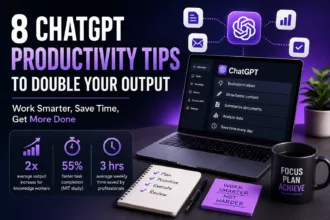
What if you could cut your email time in half, generate a full week’s content plan in 10 minutes, or summarize a 50-page report before your morning coffee? With the right ChatGPT prompts for productivity, that’s exactly what becomes possible. The difference between a mediocre AI output and a game-changing one comes down to one thing: how you ask.
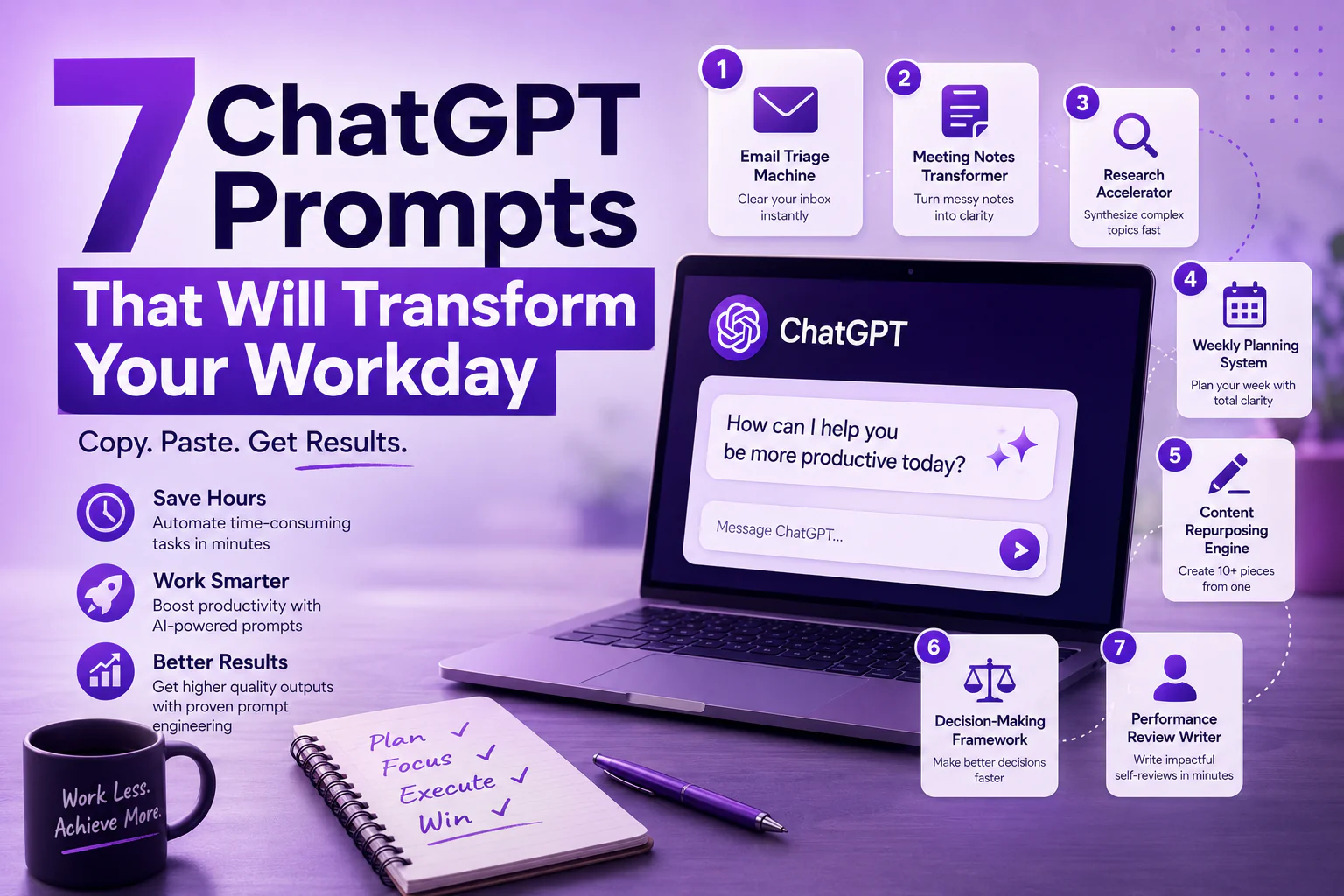
In this guide, we’re sharing 7 copy-paste-ready best ChatGPT prompts that professionals, teams, and entrepreneurs use every day to work smarter. These aren’t generic suggestions — each is a precision-crafted AI prompt template built on prompt engineering best practices that get real results with GPT-4 prompts.
Whether you’re new to AI or a power user looking to level up, these ChatGPT prompts for productivity will change how you work. For deeper learning, check out OpenAI’s official prompt engineering guide.
| 🧠 Want 50 more prompts like these? Download our free ChatGPT Productivity Prompt Pack — 100% free, no email required. |
What Makes a Great ChatGPT Prompt?
Before diving into the best ChatGPT prompts, let’s quickly cover what makes a GPT-4 prompt actually work. Great prompt engineering follows four principles: clarity (say exactly what you want), context (give background information), constraints (set format/length/tone), and examples (show what good looks like). The AI prompt templates below bake all four into every prompt.
Prompt #1: The Email Triage Machine
Use Case: Clear your inbox in record time
Email overload is a productivity killer. This ChatGPT prompt for productivity turns any cluttered inbox thread into a clear, actionable summary.
| COPY-PASTE PROMPT:You are a professional email manager. Read the following email thread and provide:1. A 2-sentence summary of the entire thread2. The 3 most important action items with owner names3. A suggested reply that is professional, direct, and under 100 wordsEmail thread: [PASTE EMAIL HERE] |
Why it works: This GPT-4 prompt uses role assignment (“you are a professional email manager”) and structured output constraints — two hallmarks of effective prompt engineering. The result is always actionable, never vague.
Prompt #2: The Meeting Notes Transformer
Use Case: Turn messy notes into polished summaries
One of the most powerful ChatGPT prompts for productivity you’ll use is the meeting note cleaner. Paste in your raw, bullet-heavy meeting notes and watch this AI prompt template transform them into a boardroom-ready summary.
| COPY-PASTE PROMPT:Transform these raw meeting notes into a structured summary with:- Executive Summary (3 sentences)- Key Decisions Made- Action Items (with owner and deadline in brackets)- Open Questions / Parking LotUse professional business language. Notes: [PASTE NOTES HERE] |
Prompt #3: The Research Accelerator
Use Case: Synthesize complex topics in minutes
This is one of the best ChatGPT prompts for professionals who need to quickly get up to speed on a new topic, industry, or competitor. The prompt engineering technique here uses layered questioning to force depth.
| COPY-PASTE PROMPT:You are a senior research analyst. Give me a comprehensive briefing on [TOPIC] that covers:1. What it is and why it matters right now (2-3 sentences)2. The 3 most important recent developments3. Key players / companies to know4. 3 things most people get wrong about this topic5. What I should read next (with specific resource types) |
For research-heavy work, pair this ChatGPT prompt for productivity with tools like Perplexity AI or Elicit for citation-backed results.
Prompt #4: The Weekly Planning System
Use Case: Start every Monday with total clarity
This GPT-4 prompt is your Monday morning ritual. It’s one of the best ChatGPT prompts for turning a chaotic to-do list into a structured, prioritized week — in under 2 minutes.
| COPY-PASTE PROMPT:Act as my chief of staff. Here are my tasks, meetings, and goals for this week:Tasks: [LIST TASKS]Meetings: [LIST MEETINGS]Top 3 goals this week: [LIST GOALS]Create a day-by-day plan (Mon-Fri) that prioritizes my top goals, batches similar tasks, and protects 2 hours of deep work daily. Flag any conflicts or overload. |
Prompt #5: The Content Repurposing Engine
Use Case: Turn one piece of content into ten
Content creators and marketers will love this ChatGPT prompt for productivity. This is one of the most time-saving AI prompt templates in existence — it multiplies your content output without multiplying your effort.
| COPY-PASTE PROMPT:You are a content strategist. Take this [blog post/article/transcript] and repurpose it into:1. 5 Twitter/X posts (punchy, under 280 chars, hook-first)2. 1 LinkedIn post (professional tone, 150-200 words, include a question)3. 1 email newsletter intro (friendly, 100 words, drive clicks)Content: [PASTE CONTENT] |
| 📣 Share this prompt with your team — forward this post and help your colleagues work smarter with ChatGPT. |
Prompt #6: The Decision-Making Framework
Use Case: Make better decisions faster
Stuck on a big decision? This is one of the most underutilized best ChatGPT prompts for professionals. It applies structured prompt engineering to force balanced, multi-perspective thinking — just like a strategy consultant would.
| COPY-PASTE PROMPT:Help me think through this decision like a senior strategist:Decision: [DESCRIBE YOUR DECISION]Context: [ADD CONTEXT]Options I am considering: [LIST OPTIONS]Provide: best-case and worst-case for each option, the biggest risk I might be overlooking, what additional information would change your recommendation, and your final recommended choice with reasoning. |
Prompt #7: The Performance Review Writer
Use Case: Write compelling self-reviews in minutes
Performance review season dreaded by almost everyone. This GPT-4 prompt is one of the most loved ChatGPT prompts for productivity in our community. Feed it your accomplishments, and it outputs a polished, impact-focused self-review in the tone of a confident professional.
| COPY-PASTE PROMPT:Write a professional self-performance review based on the information below. Use confident, first-person language. Quantify impact where possible. Match the tone to a senior professional at a [company type] company.My role: [JOB TITLE]Key accomplishments this period: [LIST THEM]Goals I hit vs. missed: [DETAILS]Areas I want to grow in: [LIST THEM]Format: 3 paragraphs + bullet list of top 5 achievements |
Pro Tips for Getting the Most Out of These ChatGPT Prompts
To maximize the impact of these ChatGPT prompts for productivity, keep these prompt engineering best practices in mind:
- ★ Always assign a role: Start with “You are a [expert role]…” — it dramatically improves output quality in all GPT-4 prompts
- ★ Use the RISEN framework: Role, Instructions, Steps, End Goal, Narrowing — a proven prompt engineering structure for AI prompt templates
- ★ Be specific about format: “Respond in bullet points,” “Keep it under 200 words,” “Use a table” — constraints improve quality
- ★ Iterate don’t re-prompt: Add follow-ups like “Now make it more concise” rather than starting over — this is how pros use best ChatGPT prompts
- ★ Save your best prompts: Use a tool like PromptHero or a simple Notion database to build your personal AI prompt template library
For even more advanced techniques, the Learn Prompting open-source guide is the most comprehensive free resource on prompt engineering available today.
Start Using These ChatGPT Prompts Today
There you have it — 7 battle-tested ChatGPT prompts for productivity that cover email, meetings, research, planning, content, decision-making, and performance reviews. Each one is a standalone AI prompt template you can copy, paste, and customize immediately.
The professionals winning with AI aren’t using smarter tools — they’re using smarter GPT-4 prompts. Master prompt engineering and you master the most powerful productivity tool ever created. Start with one prompt from this list today, and you’ll never look back.
| 🎯 Ready to Transform Your Workday? Try ChatGPT Plus free for 1 month → openai.com/chatgpt/pricing |