Most people using ChatGPT for work are leaving 80% of its potential untapped. They paste a paragraph, ask it to clean things up, and call it a day. But the professionals who have mastered ChatGPT productivity tips are completing work in a fraction of the time — drafting in minutes, not hours. This step-by-step guide teaches you exactly how to use ChatGPT for work the right way, with real prompts, real before/after time comparisons, and proven hacks you can use today.
The tips in this guide are organized by workflow stage — so whether you’re battling email, deep work, research, or meetings, you’ll find targeted strategies that apply to your exact bottleneck.
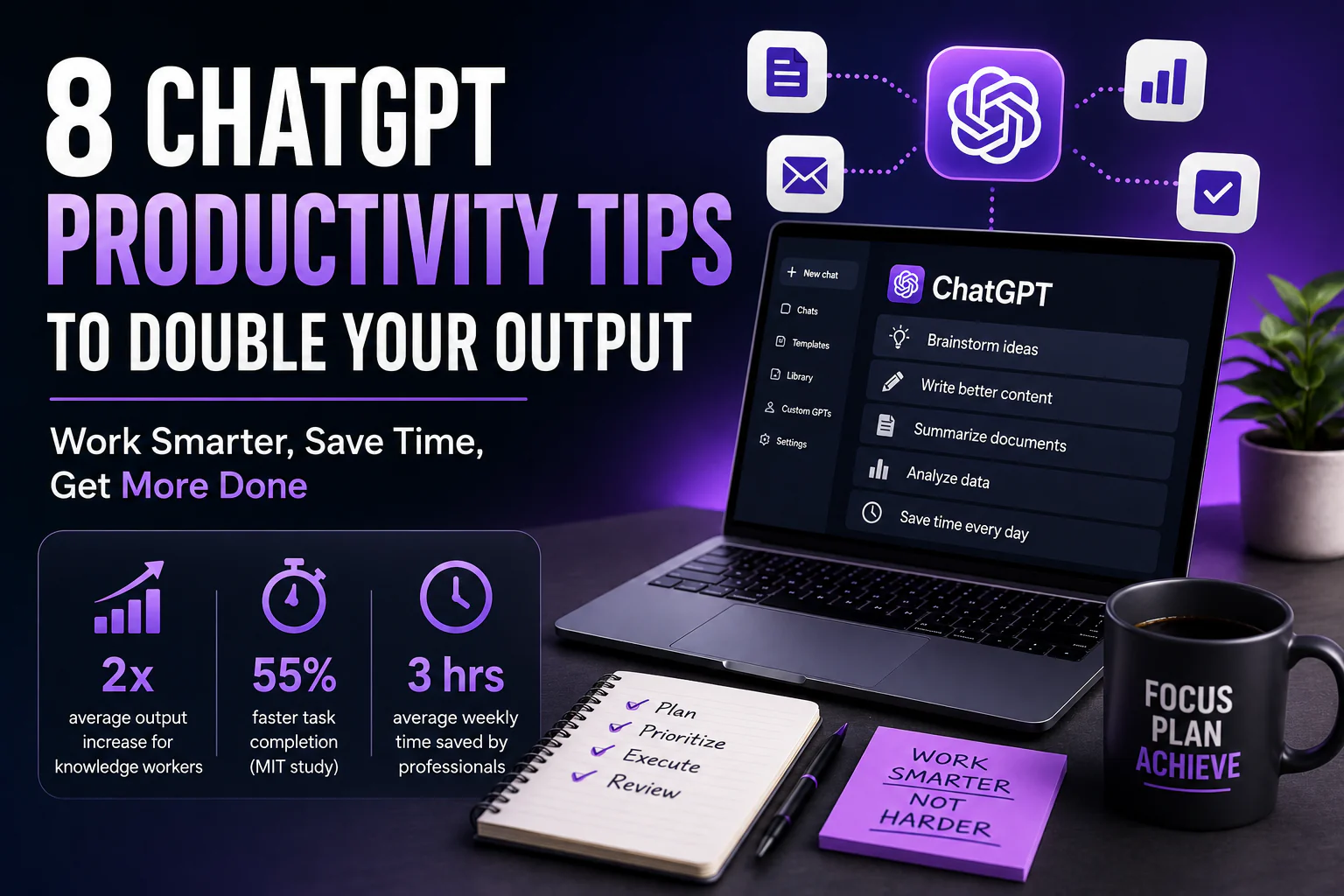
- 2x average output increase for knowledge workers using ChatGPT strategically
- 55% faster task completion reported in MIT study on AI writing assistants
- 3 hours average weekly time saved by professionals using structured ChatGPT workflows
Why Most People’s ChatGPT Productivity Tips Don’t Work
Bad prompts produce bad output. The number one mistake is treating ChatGPT like a search engine — typing a vague question and hoping for magic. The real power of ChatGPT for work comes from providing context, constraints, and format instructions. Think of it as briefing a brilliant but brand-new assistant who needs clear direction every time.
According to OpenAI’s own research, users who follow structured prompting frameworks consistently get output that requires 70% less editing than those who don’t. That’s the foundation of every tip in this guide.
The Golden Rule: Every high-output prompt has four elements — Role (who ChatGPT should act as), Task (what to produce), Context (relevant background), and Format (how to structure the output). Master this formula and your results will compound.
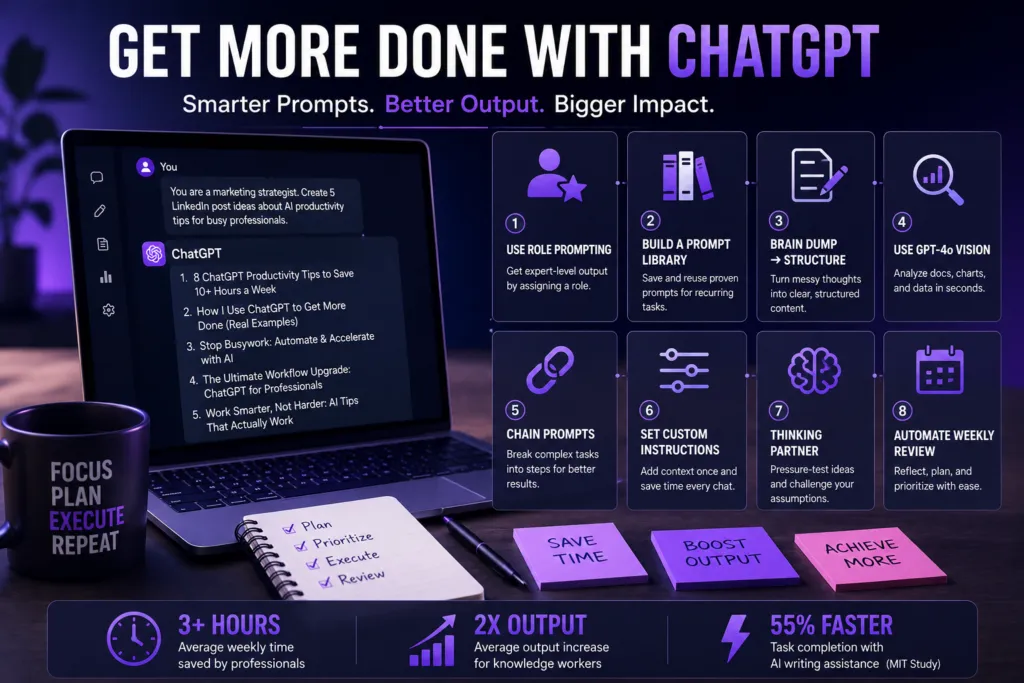
8 ChatGPT Productivity Tips to Double Your Output
1. Use Role Prompting to Get Expert-Level Output
Assigning ChatGPT a role is one of the most powerful techniques available — it instantly shifts the model’s tone, vocabulary, and depth of response. Instead of “write an email,” tell it who it is.
Example Prompt
You are a senior B2B sales executive at a SaaS company with 15 years of experience. Write a follow-up email to a prospect who attended our product demo but hasn’t responded in 5 days. Tone: confident but not pushy. 150 words max. Include a specific CTA.
Before
Generic follow-up email with no urgency. Took 25 minutes to write and edit.
After
On-brand, conversion-optimized email produced in 45 seconds. Needed a 2-minute review only.
2. Build a Personal Prompt Library for Recurring Tasks
Stop rewriting prompts from scratch. Build a prompt library in Notion, Google Docs, or a simple text file for the tasks you repeat weekly. ChatGPT becomes exponentially faster when you have battle-tested prompts one click away.
Example Prompt to Save
Summarize the following meeting notes into:
(1) 3-bullet executive summary
(2) Full action items with owner and deadline
(3) Open questions that need follow-up
Use bold headers. Tone: professional. [PASTE NOTES HERE]
Store 10–15 prompts like this and you’ve essentially automated your most repetitive work tasks permanently.
3. Use the “Brain Dump → Structure” Workflow for Writing
Don’t start with a blank page. Instead, brain-dump everything you know about a topic in 2–3 messy paragraphs, then ask ChatGPT to structure it. This hybrid approach beats fully AI-written content because your ideas, voice, and expertise drive the piece.
Example Prompt
Here is a raw brain dump of my thoughts on [TOPIC]: [PASTE RAW NOTES]
Please turn this into a clear, structured blog post outline with an H1, 5 H2 sections, and 2–3 bullet points under each H2. Keep my voice and specific examples. Add a compelling intro hook and a CTA at the end.
4. Use GPT-4o Vision for Document Analysis
Upload images, PDFs, spreadsheets, and charts directly into ChatGPT and ask it to analyze, extract, or explain the content. This single tip can replace 2–3 hours of manual data review per week.
Example Prompt (With Uploaded File)
[Upload: Q1 Sales Report PDF]
Analyze this report and give me:
(1) The 3 most important trends
(2) Any anomalies I should flag to the executive team
(3) A one-paragraph summary I can paste into our Monday Slack update
Before
Manual report review averaged 90 minutes per weekly report.
After
Summary and insights in under 3 minutes. Editor review: 5 minutes.
5. Chain Prompts for Complex, Multi-Step Tasks
One mega-prompt rarely beats a sequence of targeted prompts. Prompt chaining — where each response feeds the next — is the secret behind the most impressive productivity results.
Example Chain for a LinkedIn Post
Step 1
Generate 10 hook ideas for a post about [TOPIC] targeting [AUDIENCE].
Step 2
Expand hook #3 into a full 300-word LinkedIn post with a personal story, actionable insight, and CTA.
Step 3
Rewrite it 20% shorter, remove any corporate jargon, and make it sound more conversational.
6. Use Custom Instructions to Set Permanent Context
ChatGPT’s Custom Instructions feature is one of the most overlooked hacks for professionals. Set your role, industry, preferred tone, output format, and things ChatGPT should never do — and those instructions persist across every chat. This single setup saves 2–5 minutes per conversation.
Example Custom Instructions
About Me
I’m a product manager at a B2B SaaS startup (Series A). I work in Agile sprints.
How I Want Responses
Always use bullet points for lists. Keep responses under 300 words unless asked. Avoid buzzwords like “synergy” or “leverage.” When giving options, give max 3.
7. Use ChatGPT as a Thinking Partner, Not Just a Writer
Use it to pressure-test your ideas before you commit to them. Ask it to steelman the opposing view, find logical flaws in your plan, or generate objections a skeptic would raise.
Example Prompt
I’m planning to [DECISION/STRATEGY]. Play devil’s advocate. Give me the 5 strongest arguments against this idea, the most likely failure modes, and 3 questions a skeptical stakeholder would ask that I should be prepared to answer.
8. Automate Your Weekly Review with a Standing Prompt
Use ChatGPT as your weekly operating system. Paste your tasks, goals, and notes from the week, and have it generate your priorities and performance reflection automatically.
Example Prompt
It’s Friday. Here are my completed tasks, open items, and notes from this week: [PASTE LIST]
Generate:
(1) A 3-bullet wins summary I can share with my manager
(2) My top 5 priorities for next week in priority order with rationale
(3) One question I should reflect on this weekend to improve next week’s performance
Before vs. After: Real Time Savings
| Task | Without ChatGPT | With ChatGPT | Time Saved |
|---|---|---|---|
| Writing a 500-word email | 45 min | 8 min | 37 min (82%) |
| Meeting notes to action items | 30 min | 4 min | 26 min (87%) |
| Research summary (5 sources) | 2 hrs | 25 min | 95 min (79%) |
| First draft blog post (1,000 words) | 3 hrs | 40 min | 140 min (78%) |
| Weekly review and planning | 60 min | 12 min | 48 min (80%) |
| Job posting or brief writing | 90 min | 15 min | 75 min (83%) |
Important: These tips work best when you treat AI output as a draft, not a final product. Always review for accuracy, tone, and brand alignment — especially for client-facing or public content.
Tools That Amplify Your ChatGPT Productivity Even Further
These techniques get even more powerful when combined with the right tools:
- Zapier + ChatGPT — Automate workflows triggered by emails, form submissions, or calendar events
- Notion AI — ChatGPT-like capabilities inside your knowledge base and project management system
- Custom GPTs — Build dedicated AI assistants trained on your company’s tone, data, and workflows
Frequently Asked Questions
What Are the Best ChatGPT Productivity Tips for Beginners?
Start with Custom Instructions (Tip 6) and role prompting (Tip 1). These two techniques deliver the biggest immediate improvement with the least learning curve. Once you’re comfortable, add prompt chaining (Tip 5).
Is ChatGPT Good Enough to Replace Human Writing at Work?
For first drafts, outlines, and routine communications, ChatGPT is excellent. For creative brand voice, sensitive communications, or nuanced strategy, human review remains essential. Use it as an AI work assistant, not a full replacement.
How Do I Stop ChatGPT From Giving Generic Answers?
Add specificity to every prompt. Include your industry, audience, desired tone, word count, format, and concrete examples of what “good” looks like. The more constraints you provide, the more targeted the output.
What’s the Difference Between GPT-4 and GPT-4o for Productivity?
GPT-4o (the default model in ChatGPT Plus) is faster and equally capable for most work tasks. It also adds native vision, voice, and real-time browsing — making it superior for multimodal use cases like document analysis (Tip 4).