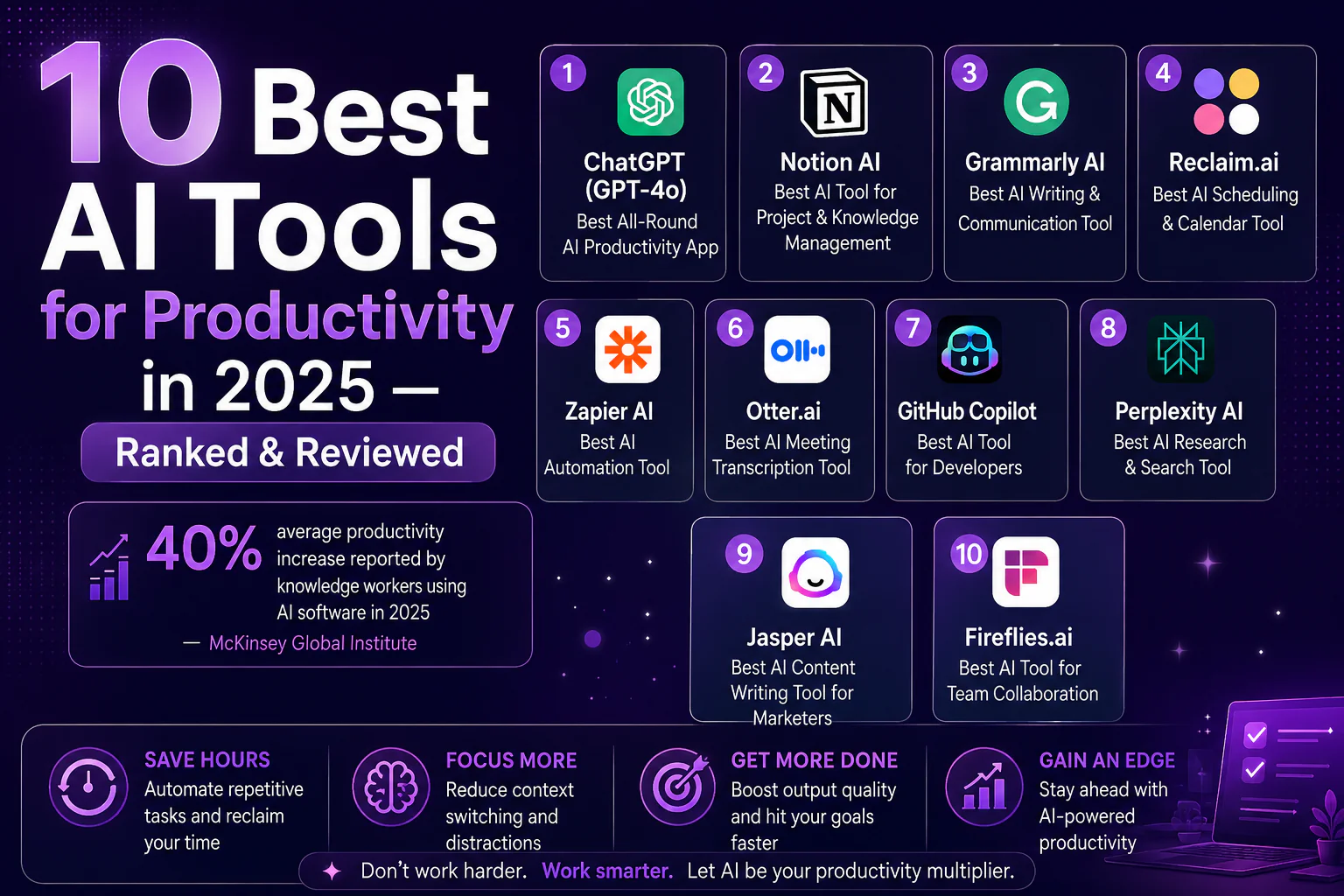
If you’re still working the old-fashioned way — copying, pasting, context-switching, and drowning in to-do lists — you’re leaving hours on the table every week. The best AI tools for productivity have fundamentally changed how top performers work in 2026. Whether you need AI productivity apps for writing, scheduling, research, or automation, this ranked guide covers every tool worth your attention.
We tested 40+ AI productivity apps across categories, comparing free vs. paid tiers, ease of use, and real-world output quality. Here are the 10 best AI tools for productivity that actually deliver on their promise.
40% average productivity increase reported by knowledge workers using AI software in 2026 — McKinsey Global Institute
Why the Best AI Tools for Productivity Matter in 2026
The explosion of AI software in 2026 has made the productivity gap between AI-equipped and non-AI workers wider than ever. Productivity software AI now handles tasks that used to take hours — drafting emails, summarizing reports, scheduling meetings, and generating code — in minutes or seconds. The question is no longer should you use AI tools for productivity, but which ones actually work.
According to Gartner, over 80% of enterprise software will have embedded AI capabilities by 2026. Getting ahead of that curve today gives you a measurable competitive edge.
Pro Tip: Don’t try to adopt all 10 tools at once. Pick two tools aligned with your biggest bottleneck — writing, scheduling, or automation — and master them before expanding your stack.
The 10 Best AI Tools for Productivity in 2026
#1 — ChatGPT (GPT-4o): Best All-Round AI Productivity App
Pricing: Free | Pro: $20/mo
ChatGPT remains the single most versatile AI tool for productivity on the market. GPT-4o handles writing, coding, research, data analysis, and brainstorming — all in one interface. Its real-time web browsing, custom GPTs, and voice mode make it a genuine AI work assistant rather than just a chatbot.
Best for: Knowledge workers, writers, developers, and managers who need a do-everything AI productivity app. The free tier covers most casual use cases; the Plus plan unlocks GPT-4o and advanced data analysis.
Pros:
- Handles virtually any text task
- GPT-4o vision and voice mode
- Massive plugin and custom GPT ecosystem
Cons:
- Rate limits on the free tier
- Can hallucinate on niche facts
#2 — Notion AI: Best AI Tool for Project & Knowledge Management
Pricing: Freemium | AI Add-on: $10/mo
Notion AI is the best productivity software AI for teams that live inside a wiki or project management system. It summarizes meeting notes, auto-fills databases, drafts SOPs, and answers questions about your own documents — making it one of the top AI productivity apps for remote teams in 2026.
Pros:
- Deep workspace integration
- Q&A over your own documents
- Autofill for databases
Cons:
- Requires an existing Notion setup
- Extra cost on top of the base Notion plan
#3 — Grammarly AI: Best AI Writing & Communication Tool
Pricing: Free tier | Premium: $12/mo
Grammarly has evolved from a spell-checker into a full AI productivity app for professional communication. Its 2026 update adds tone rewriting, email drafting, and a context-aware writing assistant that works across Gmail, Slack, Google Docs, and 500,000+ other apps.
Pros:
- Works everywhere you write
- Tone and clarity suggestions
- Strong free tier
Cons:
- Premium required for AI rewriting
- Occasional over-correction
#4 — Reclaim.ai: Best AI Scheduling & Calendar Tool
Pricing: Free tier | Starter: $8/mo
Reclaim.ai is the top AI scheduling tool for professionals who struggle with calendar overload. It automatically finds the best time for tasks, habits, and meetings, and intelligently reschedules when conflicts arise. Users report saving 5+ hours per week — making it one of the highest-ROI AI tools for productivity available.
Pros:
- Auto-schedules tasks and habits
- Smart meeting buffer logic
- Google Calendar integration
Cons:
- Google Calendar only (no Outlook on free tier)
- Learning curve for habit setup
#5 — Zapier AI: Best AI Automation Tool
Pricing: Free tier | Professional: $19.99/mo
Zapier’s AI-powered automation lets you build workflows across 7,000+ apps using plain English. Describe what you want to automate, and Zapier’s AI drafts the workflow. It’s the most accessible AI automation tool for non-developers who want to eliminate repetitive work.
Pros:
- 7,000+ app integrations
- No-code AI workflow builder
- Broad free tier
Cons:
- Complex multi-step automations cost more
- Debugging can be frustrating
#6 — Otter.ai: Best AI Meeting Transcription Tool
Pricing: Free (300 min/mo) | Pro: $16.99/mo
Otter.ai automatically transcribes, summarizes, and extracts action items from meetings. It integrates with Zoom, Google Meet, and Microsoft Teams. For teams running multiple meetings daily, Otter eliminates the need for manual note-taking entirely.
Pros:
- Real-time transcription
- Automatic action item extraction
- Generous free tier
Cons:
- Accuracy drops with heavy accents
- Limited export formats on the free tier
#7 — GitHub Copilot: Best AI Tool for Developers
Pricing: Individual: $10/mo
GitHub Copilot is the gold standard AI tool for developers in 2026. It autocompletes code, explains functions, generates tests, and includes a chat interface for debugging. Studies show Copilot users complete coding tasks 55% faster than non-users.
Pros:
- Deep IDE integration (VS Code, JetBrains)
- Multi-language support
- Copilot Chat for debugging
Cons:
- No free tier (students excepted)
- Occasional insecure code suggestions
#8 — Perplexity AI: Best AI Research & Search Tool
Pricing: Free tier | Pro: $20/mo
Perplexity AI is the best AI productivity app for research-heavy work. It answers complex questions with cited sources, tracks topics over time, and offers a deep research mode for multi-page reports. For anyone who spends hours searching the web, Perplexity is a transformative tool.
Pros:
- Real-time web answers with citations
- Spaces for ongoing research projects
- Fast, clean interface
Cons:
- Deep research limited on the free tier
- Not ideal for creative tasks
#9 — Jasper AI: Best AI Content Writing Tool for Marketers
Pricing: Creator: $39/mo
Jasper is purpose-built for marketing teams who need AI writing tools that match brand voice at scale. It produces blog posts, ads, email sequences, and social content with brand voice memory — making it one of the most specialized AI tools for content teams.
Pros:
- Brand voice memory
- Marketing-specific templates
- Campaign workflows
Cons:
- Expensive for solo users
- Less flexible than ChatGPT
#10 — Fireflies.ai: Best AI Tool for Team Collaboration
Pricing: Free tier | Pro: $10/mo
Fireflies.ai records, transcribes, and analyzes conversations across Zoom, Teams, Meet, and phone calls. Its AI search lets you find any moment across hundreds of meetings in seconds. For sales teams and managers, it’s one of the most underrated AI productivity apps on the market.
Pros:
- Cross-platform meeting recording
- AI search across all meetings
- CRM integrations (Salesforce, HubSpot)
Cons:
- Storage limits on the free tier
- Transcription lags for very long calls
Quick Comparison: Best AI Tools for Productivity 2026
| Tool | Best For | Free Tier | Starting Price | Mobile App |
|---|---|---|---|---|
| ChatGPT | All-round AI assistant | Yes | $20/mo | Yes |
| Notion AI | Knowledge management | Yes | $10/mo (add-on) | Yes |
| Grammarly AI | Writing & communication | Yes | $12/mo | Yes |
| Reclaim.ai | Scheduling | Yes | $8/mo | Yes |
| Zapier AI | Automation | Yes | $19.99/mo | No |
| Otter.ai | Meeting transcription | Yes | $16.99/mo | Yes |
| GitHub Copilot | Development | No | $10/mo | No |
| Perplexity AI | Research | Yes | $20/mo | Yes |
| Jasper AI | Content marketing | No | $39/mo | No |
| Fireflies.ai | Team collaboration | Yes | $10/mo | Yes |
How to Choose the Right AI Productivity App for You
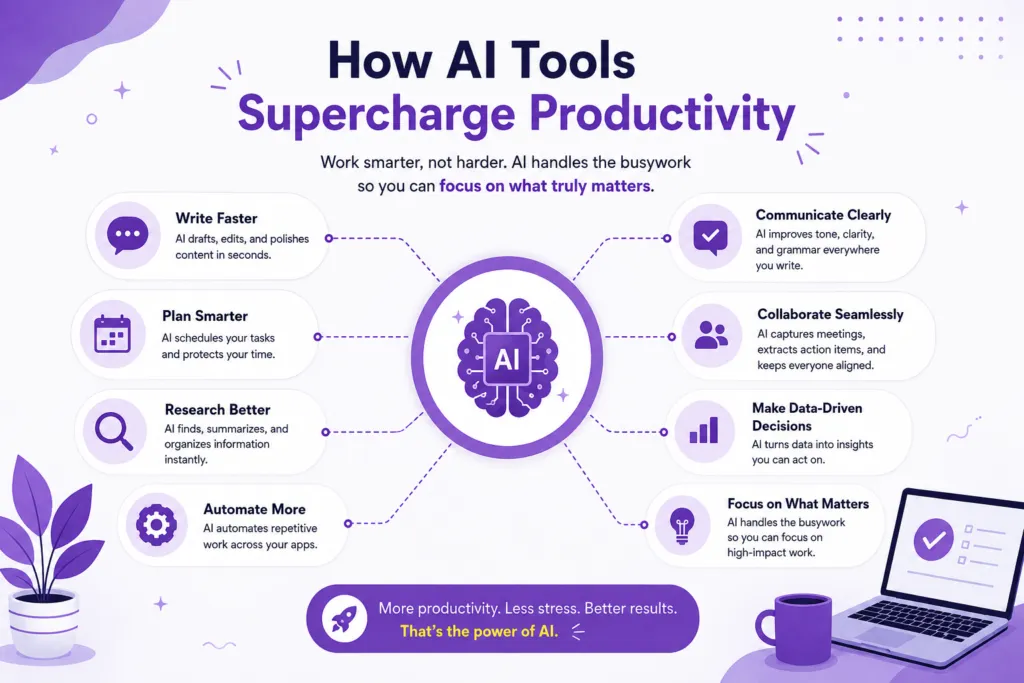
The best AI tools for productivity depend on your role and biggest bottleneck. Use this framework to find your starting point:
- Writers & marketers: ChatGPT + Grammarly AI + Jasper
- Project managers: Notion AI + Reclaim.ai + Fireflies.ai
- Developers: GitHub Copilot + ChatGPT + Perplexity AI
- Sales & BD teams: Fireflies.ai + Otter.ai + Zapier AI
- Solo operators: ChatGPT + Zapier AI + Reclaim.ai
According to Harvard Business Review, the highest productivity gains from AI come from workers who combine 2–3 complementary tools rather than relying on a single all-in-one platform.
Frequently Asked Questions
What are the best free AI tools for productivity in 2026?
The top free AI productivity apps include ChatGPT (free tier), Grammarly (free tier), Otter.ai (300 min/month free), Reclaim.ai, and Perplexity AI. All offer genuinely useful functionality without a subscription.
How much can AI tools actually improve productivity?
Research from McKinsey suggests knowledge workers using the best AI tools for productivity see 30–45% efficiency improvements on writing, research, and administrative tasks.
Is ChatGPT still the best AI tool for productivity in 2026?
ChatGPT remains the most versatile AI tool for general knowledge work. However, specialized tools like Reclaim.ai (scheduling) or GitHub Copilot (coding) outperform it within their specific domains.
What’s the difference between AI productivity apps and AI automation tools?
AI productivity apps help you work faster on tasks you already do — writing, research, scheduling. AI automation tools like Zapier eliminate entire manual workflows by connecting apps and running logic automatically, with no human action required once set up.