
Imagine waking up to find your emails sorted, your social posts scheduled, your data synced, and your reports drafted — all without lifting a finger. That’s the power of AI automation tools in 2026. Whether you’re a freelancer, small business owner, or enterprise team lead, learning how to automate with AI is no longer optional — it’s the competitive edge that separates high performers from the rest.
This ultimate beginner’s guide to AI automation tools will walk you through everything you need to know: what they are, how they work, which platforms to use, and how to build your first automated workflow — no coding required. We’ll cover Zapier AI, Make.com automation, n8n, and more.
What Is AI Automation?
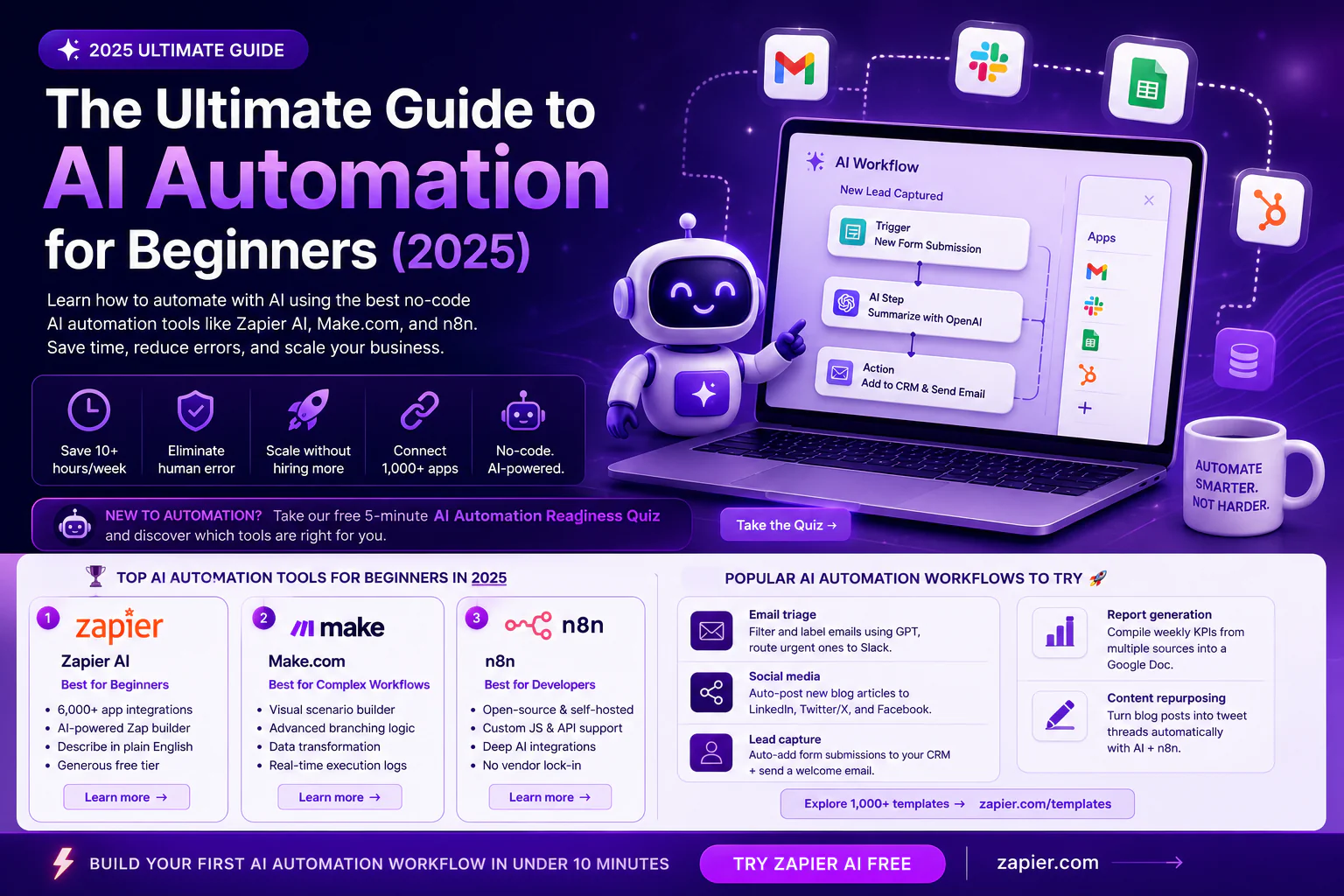
AI automation combines artificial intelligence with workflow automation to handle repetitive tasks intelligently. Unlike traditional automation (which follows rigid rules), AI automation tools can interpret context, make decisions, and adapt to changing inputs. Think of it as hiring a digital assistant that never sleeps.
According to a McKinsey report on automation, up to 45% of work activities can be automated using existing technology. With the rise of no-code AI platforms, even non-technical users can now build powerful workflows in minutes.
| 🤖 New to automation? Take our free 5-minute AI Automation Readiness Quiz and discover which tools are right for you. |
Why AI Automation Matters for Beginners
The biggest misconception about AI automation tools is that they’re only for developers or large enterprises. That couldn’t be further from the truth. Platforms like Zapier AI and Make.com have democratized automation with visual drag-and-drop editors that anyone can master in an afternoon.
Here’s why beginners should start learning how to automate with AI right now:
- ✓ Save 10+ hours per week on repetitive tasks like data entry and email responses
- ✓ Eliminate human error in routine processes
- ✓ Scale your business without hiring more staff using no-code AI platforms
- ✓ Connect 1,000+ apps without writing a single line of code
- ✓ Access enterprise-grade AI automation tools at startup prices
The Top AI Automation Tools for Beginners in 2026
1. Zapier AI — Best for Beginners
Zapier is the gold standard of AI automation tools for non-technical users. With over 6,000 app integrations and an AI-powered Zap builder, Zapier AI lets you describe what you want in plain English and it builds the workflow for you.
Key Zapier AI features include: natural language workflow creation, AI-powered Zap suggestions, a massive app marketplace, and a generous free tier. Visit the official Zapier AI documentation to see what’s possible. Perfect for automating Gmail, Slack, Google Sheets, HubSpot, and hundreds more apps.
2. Make.com — Best for Complex Workflows
Formerly Integromat, Make.com automation is a visual workflow builder that shines when you need multi-step, branching logic. If Zapier is the Toyota of AI automation tools, Make is the Tesla — more powerful, but with a steeper learning curve.
With Make.com automation, you can build scenarios with conditional routing, data transformation, and real-time execution logs. It’s the preferred platform for power users who’ve outgrown Zapier. Make.com’s beginner guide is an excellent starting point for new users exploring no-code AI workflows.
3. n8n — Best for Developers & Self-Hosted
If you want full control over your AI automation tools stack, n8n is the open-source champion. It supports self-hosting, custom JavaScript functions, and deep integrations with AI APIs like OpenAI and Anthropic. n8n is ideal for developers or technical teams who want no-code AI flexibility without vendor lock-in. Explore n8n’s official documentation to get started.
| ⚡ Build your first AI automation workflow in under 10 minutes — Try Zapier AI free at zapier.com |
How to Build Your First AI Automation Workflow
Ready to start? Here’s a beginner-friendly step-by-step process for building your first workflow with AI automation tools:
Step 1 — Identify a Repetitive Task
Think about tasks you do manually every day or week. Common starting points: forwarding emails to Slack, saving form responses to Google Sheets, or posting on social media. The best how to automate with AI candidates are high-frequency, low-complexity tasks.
Step 2 — Choose Your Trigger App
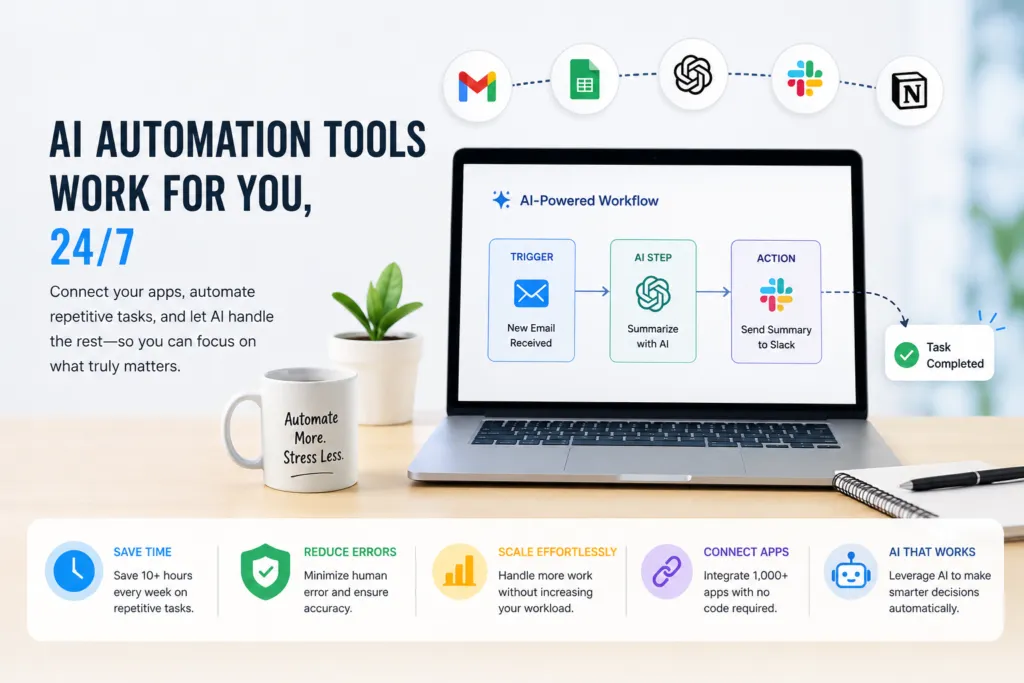
Every AI automation tools workflow starts with a trigger — the event that kicks things off. In Zapier AI, this could be “new email received,” “new row added to spreadsheet,” or “new form submission.” In Make.com automation, these are called modules.
Step 3 — Define Your Actions
Next, decide what happens when the trigger fires. With no-code AI platforms, you simply select the app and action from a menu. Want to summarize an email and send it to Slack? Set OpenAI as the middle step to process the text, then pass it to Slack — all without writing code.
Step 4 — Test and Activate
Before activating, test your workflow with real data. Zapier AI and Make.com both offer one-click testing with detailed execution logs. Once it works, flip the switch and let your AI automation tools do the work 24/7.
Popular AI Automation Workflows to Try Today
- → Email triage: Filter and label emails using GPT, route urgent ones to Slack (how to automate with AI — beginner level)
- → Social media: Auto-post new blog articles to LinkedIn, Twitter/X, and Facebook via Make.com automation
- → Lead capture: Auto-add form submissions to your CRM + send a welcome email via Zapier AI
- → Report generation: Compile weekly KPIs from multiple sources into a Google Doc using AI automation tools
- → Content repurposing: Turn blog posts into tweet threads automatically with no-code AI + n8n
For more inspiration, explore Zapier’s automation templates library which contains 1,000+ pre-built workflows you can copy and deploy in minutes.
Common Mistakes Beginners Make with AI Automation
Even with the best AI automation tools, beginners often stumble on a few avoidable mistakes. Here’s what to watch out for when learning how to automate with AI:
- ⚠ Automating a broken process — fix the process first, then automate it
- ⚠ Over-automating too soon — start with one simple workflow using Zapier AI before building complex chains
- ⚠ Ignoring error handling — always add failure notifications in your Make.com automation scenarios
- ⚠ Skipping documentation — log what your AI automation tools are doing so teammates can maintain them
The Future of AI Automation
The world of AI automation tools is evolving at breakneck speed. Agentic AI — where models like GPT-4 can autonomously plan and execute multi-step tasks — is already changing what’s possible. Platforms like Make.com automation and n8n are adding native AI agent support, while Zapier AI‘s Canvas feature lets you visualize entire automated business processes. According to Gartner’s automation forecast, by 2026, 80% of organizations will use some form of no-code AI automation.
| 📘 Download The Free AI Automation Starter Toolkit — includes workflow templates for Zapier, Make.com & n8n |