Ask a teacher what eats their week, and grading is rarely the first answer. More often it’s the smaller stuff nobody budgets time for: rewriting the same worksheet three ways for three reading levels, a parent email typed out at 9 p.m., a rubric built from scratch again because the old one lives on a laptop left in the classroom.
That’s where AI tools for teachers have found a real place, not because they’re impressive in a demo, but because they quietly take over the repetitive writing that used to eat evenings.
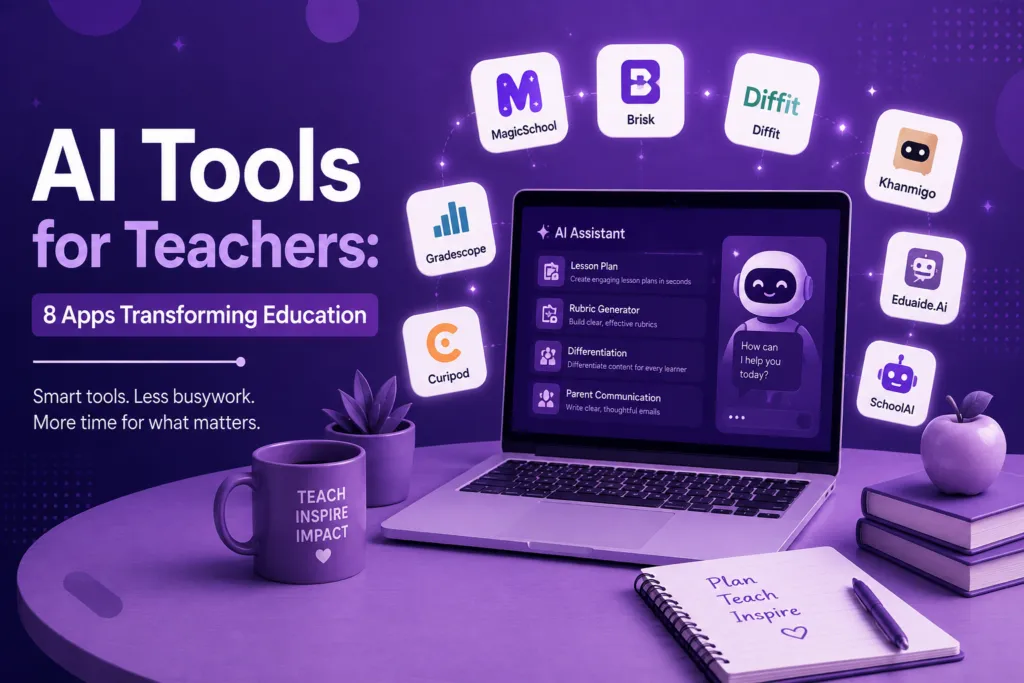
I’ve watched a lot of schools bring these tools in over the last couple of years, and the same pattern shows up almost every time. Teachers who get something lasting out of it aren’t downloading every new app in their inbox. They land on two, maybe three, that solve one recurring headache, and they keep using those long enough for it to become routine. Below are eight tools doing real work in classrooms right now, grouped loosely around the things teachers bring up most: planning, grading, feedback, and differentiation.
Why This Round of AI in Education Sticks
Edtech has promised teachers their time back before. Interactive whiteboards were supposed to do it. So were the first learning management systems. Mostly what happened was a new thing to learn got added, and the old task stayed right where it was.
What’s different now is narrowness. Something built to do one job well, turn a passage into four leveled versions, say, gets opened again the next week without anyone having to be reminded it exists. A platform pitched as reinventing your whole curriculum usually gets a single try and then sits untouched.
Judge these less by how good the pitch sounds and more by whether they take something off your plate you’re currently doing by hand.
MagicSchool AI
MagicSchool got traction fast because it was built for education from day one, not adapted from a general chatbot afterward. It now covers dozens of tools: lesson plans, rubrics, IEP goal language, parent communication templates.
Give it a standard, a grade level, and how much time you’ve got, and it hands back a structured lesson with an objective, materials, sequence, and closure already in place. You still bring the judgment about your specific students. What it removes is the blank page, nothing more.
If your prep period covers planning, admin writing, and parent emails, having all of it under one dashboard beats juggling five apps. The trade-off shows up when you need depth in one area. Essay grading specifically is handled better by tools built only for that.
Brisk Teaching
Brisk runs as a browser extension sitting inside Google Docs and Google Classroom. Feedback happens where the student’s work already is instead of a separate portal you have to remember to open.
Where this pays off most is formative writing, the drafts and quick check-ins that need a note, not a full grade. It generates leveled feedback, translates comments for family communication, and can flag places where the writing style shifts abruptly partway through a document. Treat that last flag as a prompt to look closer, not as a verdict on its own.
For anyone already working inside Google Workspace, this is the low-friction option.
Diffit
Differentiated instruction gets assigned to every teacher and given to almost none of them as actual time. Thirty kids, five years of reading-level spread, one class period. Diffit was built for that math not working out.
Feed it a text, an article, a textbook page, something you wrote yourself, and it returns several reading levels of the same material along with vocabulary support and comprehension questions. Sometimes a translated version too. The underlying content doesn’t change. Only the entry point does, and that distinction matters in the room: a student on a simplified version of the actual lesson feels less picked out than one working from an obviously separate easy sheet.
Khanmigo
Khan Academy built Khanmigo around one deliberately annoying rule: it won’t hand a student the answer. It asks a guiding question instead, closer to how a decent tutor runs office hours than how a search bar behaves.
The payoff for teachers has less to do with the tutoring itself and more with what becomes visible. Where a student got stuck, and what kind of nudge actually got them unstuck, used to be invisible information. Now it’s something you can see and respond to before the test instead of after it.
Best suited to math and STEM classrooms where independent practice happens regularly, since that’s where misconceptions tend to hide.
Gradescope
Gradescope started in university settings before secondary schools picked it up, and the core mechanic still holds: it clusters similar student answers together so you grade one representative response per cluster rather than every paper individually.
Thirty students answering ten structured questions, and that clustering can cut grading time by more than half. There’s a fairness angle too, one most teachers don’t think about until it bites them: every student who answered the same way gets the same feedback, which is genuinely hard to guarantee when you’re marking three hundred responses at 11 p.m. on your own. Build the rubric once, and it holds steady across every submission. No drift between paper five and paper twenty-five.
Math, science, anything with structured written responses rather than open-ended essays.
Curipod
This one isn’t about prep time at all. It’s about the forty-five minutes you’re standing in front of the room. Give it a topic and it builds an interactive lesson, polls, open prompts, word clouds, that students respond to live from their own devices.
You find out whether a concept landed right then, not three days later on a quiz. Half the room lost? Adjust the next slide immediately.
Nearpod
Nearpod covers similar ground to Curipod but goes further into delivering an entire lesson: slides, embedded video, virtual field trips, formative checks built into the same deck you’re already presenting. It works across in-person, remote, and hybrid setups, which matters more now that flexible scheduling shows up in a lot of districts.
The reporting afterward is the part worth mentioning. You get a readout of exactly which students answered which questions correctly, turning a vague sense of how the lesson went into something concrete enough to act on.
CoGrader
CoGrader stays narrow by design. It grades essays and open-ended responses against the rubric you already use rather than pushing you toward a new framework, drafting a grade and rubric-referenced feedback per student that you then review before anything counts.
Bigger platforms often bury essay feedback as one feature among fifty. This one treats it as the entire job, and the difference shows in how closely the feedback tracks your specific rubric language instead of generic writing advice.
Makes the most sense if your grading pile is mostly extended written responses, English and humanities classrooms especially.
Comparing the 8 Tools at a Glance
| Tool | Core Strength | Best Use Case |
| MagicSchool AI | All-in-one lesson planning & admin | Teachers wanting one dashboard |
| Brisk Teaching | In-browser feedback | Google Workspace classrooms |
| Diffit | Reading-level differentiation | Mixed-ability classes |
| Khanmigo | Guided tutoring | Math & STEM independent practice |
| Gradescope | Structured grading at scale | Math, science, short-answer work |
| Curipod | Live formative engagement | Real-time in-class checks |
| Nearpod | Full interactive lesson delivery | Hybrid & remote-flexible classrooms |
| CoGrader | Rubric-based essay feedback | Writing-heavy humanities courses |
Before Adopting Any of These
Pick your worst hour of the week first. Not the tool with the best pitch deck. Whatever costs you the most time, grading, differentiating, planning, choose one thing built for that specific problem. Three new platforms at once is a good way to make sure none of them survive past October.
Your own judgment stays in the loop. Every one of these produces a draft, not a final decision, and that matters most with grading. A parent asking why their kid got a particular score deserves a better answer than “the AI said so.”
Read your district’s data policy before uploading anything real. Solid vendors are upfront about FERPA compliance and whether student work trains their models, but policies differ by vendor and district, so check rather than assume.
Free tiers here tend to be real, not a bait-and-switch. Try two or three before signing off on a paid license for the whole school.
Key Takeaways
- Match the tool to one bottleneck. Planning, grading, feedback, or differentiation. Not all four at once.
- MagicSchool AI and Brisk Teaching cover the most ground day to day. Diffit, Khanmigo, Gradescope, Curipod, Nearpod, and CoGrader each do one narrower job well.
- AI-generated grades and feedback are a first draft, never the final word, especially on anything that affects a grade.
- Free tiers support real classroom use in most of these, so testing before buying costs nothing.
- The biggest wins usually come from tools that slot into what you’re already using (Google Classroom, for instance) rather than ones asking you to adopt an entirely new system.
Frequently Asked Questions
Is it fair to use AI to grade student work? Most tools produce a draft score for a teacher to adjust, not a final grade on their own. Many district AI policies require exactly this: a human makes the last call.
Will these tools replace lesson planning skills? No. They handle the structural first draft (objective, sequencing, standards alignment) faster than starting cold. The judgment about your own students still comes from you.
Is student data safe with these tools? Reputable platforms publish FERPA and data-handling policies and state clearly whether submissions train their models. Check your district’s approved list and read the actual policy before uploading real student work.
Do I need to pay to get started? No. MagicSchool AI, Brisk Teaching, Diffit, and CoGrader all have free tiers built for genuine classroom use.
Which tool helps most with limited planning time? MagicSchool AI, or something similar built as an all-in-one planner, tends to save the most time when one person is juggling planning, admin, and parent communication alone.
Can any of these help with English language learners specifically? Diffit. It generates multiple reading levels and, in some cases, translated versions of the same core material, so ELL students work from what the rest of the class is working from.
Curipod or Nearpod, how do I choose? Quick five-minute engagement check mid-lesson, Curipod. A full interactive lesson with reporting after the fact, Nearpod.