Every business runs on workflows — repeatable sequences of tasks that move work from start to finish. The businesses pulling ahead in 2025 are the ones that have figured out AI workflow automation: using AI not as a single tool, but as a connective layer that automates entire processes end-to-end. This guide walks through exactly how to design, build, and implement AI business automation for your organization, covering five of the most common business workflows, the best workflow AI tools for each, and a free template you can copy and adapt today.
What Is AI Workflow Automation?
AI workflow automation is the practice of using AI models combined with automation platforms to handle multi-step business processes with minimal human intervention. Unlike traditional automation (which follows rigid if-this-then-that rules), AI business automation can interpret unstructured information — emails, documents, conversations — and make contextual decisions at each step of the AI process. According to McKinsey’s State of AI 2025 report, organizations that have scaled AI workflow automation report measurable cost reduction in over 60% of the business functions where it has been deployed.
The 5-Step Framework to Build Your First AI Workflow
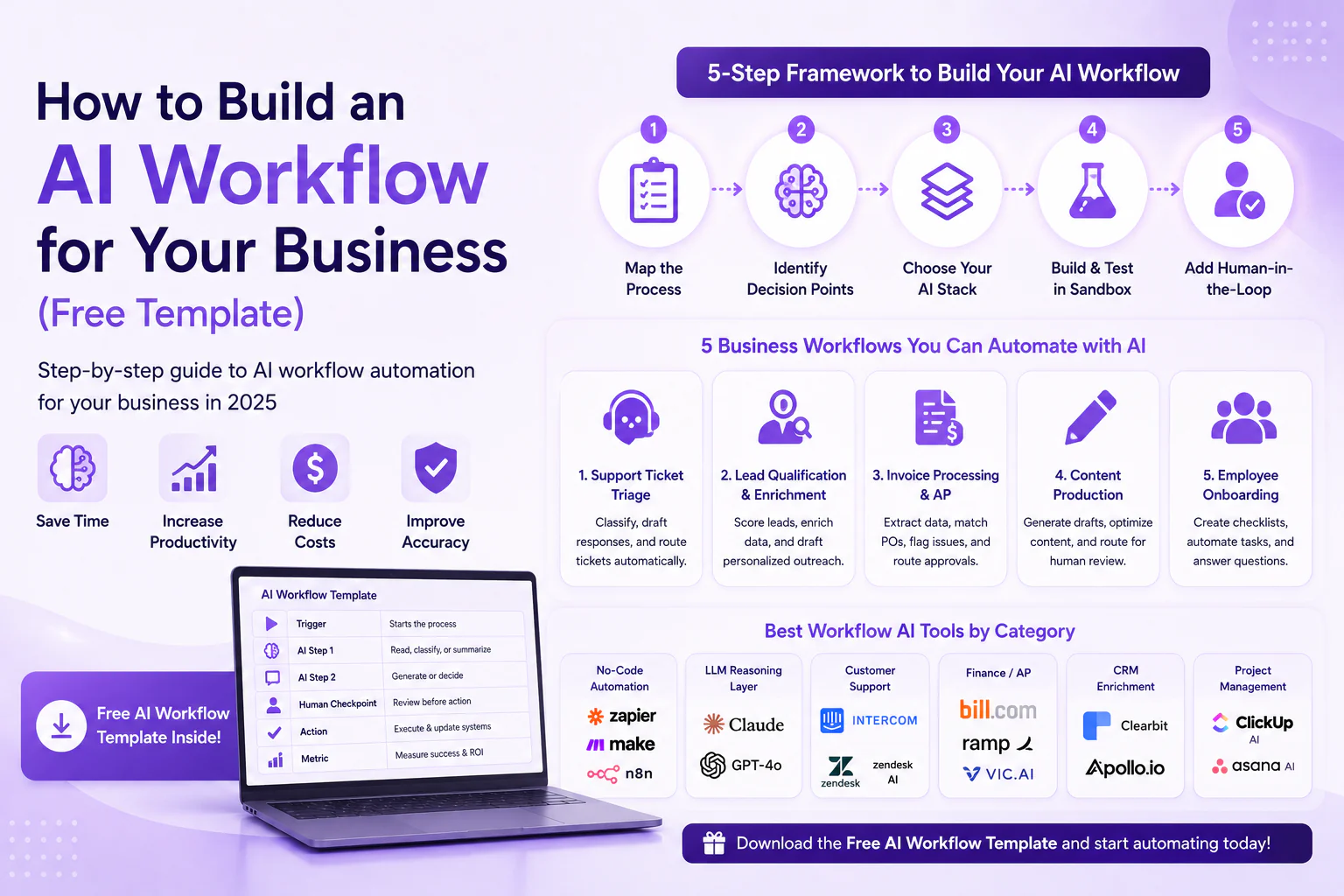
1. Map the current process: Before automating anything, document every step of the existing manual workflow, including who owns each step and how long it takes. This baseline is essential for measuring the ROI of your AI business automation later.
2. Identify the decision points: Workflow AI tools are most valuable at decision points — categorizing a request, drafting a response, flagging an exception — rather than purely mechanical steps. Mark each decision point in your process map.
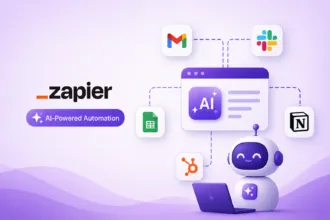
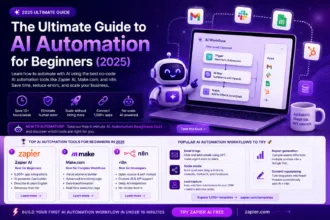
3. Select your AI workflow automation stack: Choose a combination of an LLM (Claude, GPT-4) for reasoning-heavy steps and a no-code automation platform (Zapier, Make, n8n) to connect your apps and trigger the AI process.
4. Build and test in a sandbox: Run your new AI workflow automation on historical data or a small live sample before rolling it out company-wide. Compare AI-generated outputs against what a human would have produced.
5. Add human-in-the-loop checkpoints: For any AI business automation touching customer communication, finances, or legal matters, build in a review step before the AI process executes irreversible actions.
5 Common Business Workflows You Can Automate with AI Today
1. Customer Support Ticket Triage
This AI workflow automation reads incoming support tickets, classifies them by urgency and topic, drafts a suggested response, and routes complex issues to the right specialist. Tools: Zendesk AI, Intercom Fin, or a custom workflow AI tools stack built on Zapier + Claude. Average time saved: 60–70% of first-response time.
2. Lead Qualification and CRM Enrichment
An AI process can automatically enrich new CRM leads with firmographic data, score them against your ideal customer profile, and draft a personalized first outreach email — all before a sales rep even sees the lead. This AI business automation typically uses Clearbit or Apollo for enrichment paired with an LLM for scoring and drafting.
3. Invoice Processing and Accounts Payable
Finance teams use AI workflow automation to extract line items from invoice PDFs, match them against purchase orders, flag discrepancies, and route approvals automatically. Workflow AI tools like Bill.com and Ramp now embed AI-native invoice processing directly into their platforms, eliminating manual data entry almost entirely.
4. Content Production Pipeline
Marketing teams build an AI process that takes a content brief, generates a first draft, runs it through SEO and brand-voice checks, and routes it for human review — compressing a multi-day content cycle into hours. This is one of the highest-ROI applications of AI business automation for content-heavy organizations.
5. Employee Onboarding
HR teams use AI workflow automation to generate personalized onboarding checklists, auto-populate new-hire paperwork, schedule training sessions, and answer common new-employee questions via an AI assistant — reducing the administrative load on HR while improving the new hire experience.
Best Workflow AI Tools by Category
| Category | Tool | Best For |
| No-Code Automation | Zapier, Make.com, n8n | Connecting apps and triggering AI processes |
| LLM Reasoning Layer | Claude, GPT-4o | Drafting, classification, decision-making |
| Customer Support | Intercom Fin, Zendesk AI | Ticket triage and automated responses |
| Finance / AP | Bill.com, Ramp, Vic.ai | Invoice processing automation |
| CRM Enrichment | Clearbit, Apollo.io | Lead scoring and data enrichment |
| Project Management | ClickUp AI, Asana AI | Task automation and status reporting |
Free AI Workflow Automation Template
Use this simple template structure to map your first AI workflow automation project:
- • Trigger: What starts the AI process? (e.g., new email, form submission, CRM update)
- • AI Step 1: What does the AI need to read, classify, or summarize?
- • AI Step 2: What does the AI need to generate or decide? (draft response, score, recommendation)
- • Human Checkpoint: Where does a person review before the AI business automation takes an irreversible action?
- • Action: What system updates, notifications, or outputs complete the workflow?
- • Metric: How will you measure time saved and accuracy of this AI workflow automation over the first 30 days?
Common Mistakes When Implementing AI Business Automation
- • Automating a broken process — AI workflow automation amplifies inefficiency if the underlying process is poorly designed; fix the process first
- • Skipping the human-in-the-loop checkpoint on customer-facing or financial AI business automation
- • Choosing workflow AI tools based on hype rather than actual integration with your existing tech stack
- • Failing to measure baseline metrics before launching the AI process, making ROI impossible to prove
Final Thoughts on AI Workflow Automation
Building effective AI workflow automation is not about finding one magic tool — it is about thoughtfully combining workflow AI tools with clear process design and the right human oversight. Start with one high-value AI process from the five workflows above, prove the ROI, and expand from there. The companies that master AI business automation in 2025 will operate leaner, respond faster, and reallocate human talent toward higher-value work. For deeper guidance on enterprise automation strategy, see Harvard Business Review’s guide to AI-driven process automation.
| Don’t want to build your AI workflow alone? AventisHub designs and implements custom AI business automation systems end-to-end — from process mapping to deployment.Get your free AI workflow audit at AventisHub → |