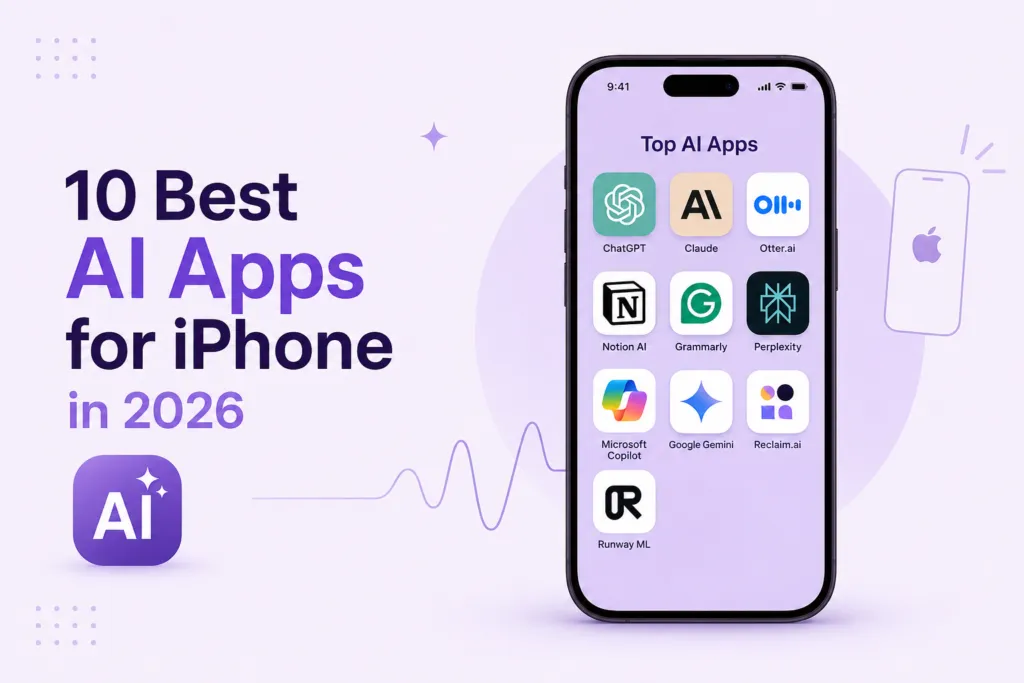
The iPhone has become the most powerful AI device most people own. In 2026, the best AI apps for iPhone go far beyond Siri — they transcribe your meetings, write your emails, generate images, help you code, and run multi-step automations from the palm of your hand. This guide covers the 10 best iOS AI apps available right now, with App Store ratings, real use cases, and clear guidance on which iPhone AI tools deserve a spot on your home screen.
1. ChatGPT iOS — Best All-Around AI App for iPhone
ChatGPT iOS from OpenAI is the most downloaded AI mobile app on Apple’s App Store and for good reason — it is the most versatile AI app for iPhone available. The ChatGPT iOS app supports voice conversation mode (talk naturally, get spoken responses), image analysis (photograph a document or meal and ask questions about it), and the full GPT-4o reasoning capability. For Plus subscribers, ChatGPT iOS also supports DALL-E image generation and web browsing. App Store rating: 4.7/5 with over 1 million reviews.
• Best for: General-purpose AI assistant on iPhone — answering questions, drafting content, voice conversations
• Price: Free (limited); ChatGPT Plus $20/month
• App Store: Download ChatGPT on the Apple App Store
2. Claude — Best AI App for iPhone for Long-Form Writing and Analysis
Anthropic’s Claude iOS app is one of the best AI apps for iPhone for professionals who need thoughtful, nuanced AI assistance rather than quick answers. Claude on iPhone excels at analyzing long documents (upload a PDF and ask detailed questions), drafting polished long-form content, and providing balanced, carefully-reasoned responses. With a 200,000-token context window available even on mobile, Claude handles tasks that crash other iPhone AI tools. Learn more about Claude’s capabilities in our Claude AI vs ChatGPT comparison. App Store rating: 4.8/5.
• Best for: Document analysis, long-form writing, nuanced reasoning on iPhone
• Price: Free; Claude Pro $20/month
3. Otter.ai — Best AI iPhone App for Meeting Notes
Otter.ai iOS is the leading iPhone AI tool for meeting transcription and note-taking. Open the app, tap Record, and Otter.ai’s voice to text AI transcribes every word in real time — identifying speakers, generating a summary, and extracting action items automatically. For professionals who take calls on the go, Otter.ai on iPhone is indispensable. Read our full Otter AI review for a deeper feature breakdown. App Store rating: 4.6/5.
• Best for: Transcribing client calls, interviews, and meetings on iPhone
• Price: Free (300 min/month); Pro $16.99/month
4. Notion AI — Best AI Mobile App for Knowledge Workers
The Notion iPhone app with Notion AI gives you a full AI-powered knowledge workspace in your pocket. Use Notion AI on iPhone to summarize your notes, generate content from scratch, ask questions across your entire Notion database, and build project plans on the go. For teams already using Notion as their central hub, this is one of the most immediately practical iOS AI apps available. App Store rating: 4.8/5.
• Best for: Mobile knowledge management and AI-assisted note-taking
• Price: Free (Notion plan required); AI add-on $10/month
5. Grammarly — Best AI App for iPhone for Writing Polish
The Grammarly iPhone app integrates across the iOS keyboard — meaning Grammarly AI features are available inside every app on your iPhone, from iMessage to LinkedIn to email. Get real-time tone suggestions, full-sentence rewrites, and grammar checks without opening a separate app. For professionals writing client emails and proposals from their phone, Grammarly is one of the most ROI-positive best AI apps for iPhone. Read our full Grammarly AI Review for the complete feature breakdown. App Store rating: 4.6/5.
• Best for: System-wide writing AI across all iPhone apps
• Price: Free; Premium $12/month
6. Perplexity AI — Best AI iPhone App for Research
Perplexity AI is the best iOS AI app for getting cited, accurate answers to research questions on the go. Unlike ChatGPT or Claude (which sometimes hallucinate facts), Perplexity AI performs real-time web searches and cites every claim — making it the most trustworthy AI search tool on iPhone. For students, journalists, and knowledge workers who need reliable mobile research, Perplexity AI is an essential iPhone AI tool. App Store rating: 4.8/5.
• Best for: Cited research and fact-checking on iPhone
• Price: Free; Pro $20/month
7. Microsoft Copilot — Best AI iPhone App for Microsoft 365 Users
The Microsoft Copilot iOS app brings full GPT-4 power to iPhone users for free — even without a paid Microsoft subscription. Microsoft Copilot on iPhone supports text generation, image creation (via DALL-E), voice conversations, and document analysis. For Microsoft 365 users, the paid Copilot integration lets you access your Word docs, Excel data, and Teams conversations directly from the iPhone AI tool. Read our full Microsoft Copilot Review for an enterprise perspective. App Store rating: 4.7/5.
• Best for: Microsoft 365 users wanting Copilot on iPhone
• Price: Free (GPT-4 basic); Copilot Pro $20/month
8. Google Gemini — Best AI App for iPhone in the Google Ecosystem
Google’s Gemini iOS app is the strongest AI app for iPhone for users embedded in Google Workspace — Gmail, Google Docs, Google Drive. Gemini on iPhone offers multimodal capabilities (text, image, and voice), real-time web search through Google Search integration, and native connectivity to Google apps unavailable through competing iOS AI apps. App Store rating: 4.4/5.
• Best for: Google Workspace users seeking AI assistance on iPhone
• Price: Free; Gemini Advanced $19.99/month
9. Reclaim.ai — Best AI iPhone App for Scheduling
Reclaim.ai is a specialized iPhone AI tool for calendar optimization — automatically scheduling your tasks, habits, and focus time around your existing meetings. The Reclaim.ai iOS app syncs with Google Calendar and can reschedule priorities in real time when a new meeting lands. For freelancers and busy professionals, it is one of the most practical time-management AI mobile apps on the App Store. App Store rating: 4.5/5.
• Best for: AI-powered calendar management and focus time protection
• Price: Free (limited); Pro $10/month
10. Runway ML — Best AI Creative App for iPhone
Runway is the best iOS AI app for creative professionals — it offers AI video generation, image editing, and style transfer directly on iPhone. Content creators, marketers, and designers use Runway to produce AI-generated video clips, remove backgrounds from video in real time, and apply AI style transforms to images. It is one of the most unique best AI apps for iPhone in a category of its own. App Store rating: 4.6/5. Visit Runway’s official site for a full feature overview.
• Best for: AI video creation and image editing on iPhone
• Price: Free (limited credits); Standard $15/month
Best AI Apps for iPhone: Quick Comparison
| App | Category | App Store Rating | Free Tier | Best For |
| ChatGPT iOS | General AI | 4.7/5 | Yes | All-purpose AI on iPhone |
| Claude | Writing & Analysis | 4.8/5 | Yes | Long-form content & documents |
| Otter.ai | Transcription | 4.6/5 | Yes (300 min) | Meeting notes on iPhone |
| Notion AI | Productivity | 4.8/5 | Yes (Notion plan) | Knowledge management |
| Grammarly | Writing | 4.6/5 | Yes | System-wide writing AI |
| Perplexity AI | Research | 4.8/5 | Yes | Cited research & search |
| Microsoft Copilot | M365 AI | 4.7/5 | Yes (GPT-4) | Microsoft 365 users |
| Google Gemini | Google AI | 4.4/5 | Yes | Google Workspace users |
| Reclaim.ai | Scheduling | 4.5/5 | Yes (limited) | Calendar AI optimization |
| Runway ML | Creative AI | 4.6/5 | Yes (limited) | Video & image creation |
Final Thoughts: Building Your iPhone AI App Stack
The best AI apps for iPhone are not competing for the same space — they each solve a different part of your mobile workflow. A power user AI stack might combine ChatGPT iOS for general questions, Claude for deep document analysis, Otter.ai for meeting notes, and Grammarly for system-wide writing polish. Start with the two or three iOS AI apps that address your biggest daily friction points, and you will immediately reclaim meaningful time. For a broader view of AI productivity tools beyond mobile, explore our AI productivity statistics 2026 and Best AI Tools for Freelancers guides.
| Want to build a complete AI tool stack — mobile and desktop — tailored to your specific business workflows? AventisHub helps businesses and freelancers design AI systems that work together seamlessly.Book a free AI tools strategy session at AventisHub → |