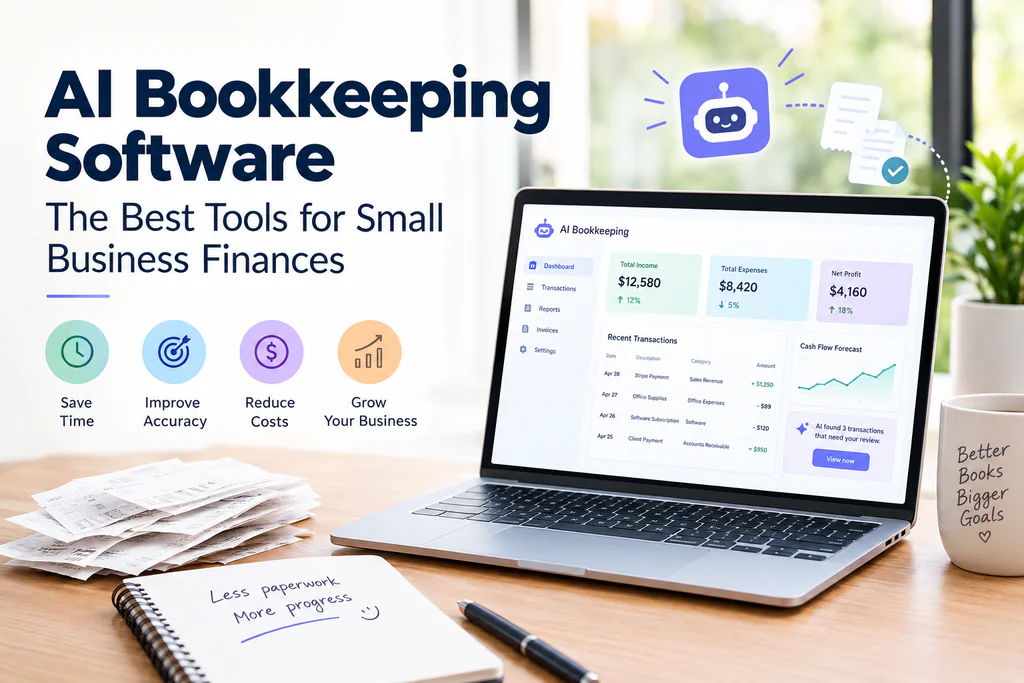
Sunday night, shoebox of receipts, three spreadsheet tabs that don’t quite agree with each other. If that sounds familiar, you’re not alone, and also — good news — it doesn’t have to be your life anymore.
AI bookkeeping software has gotten weirdly good at the boring parts of running a business. Categorizing transactions. Flagging the $340 charge that looks off. Drafting the report your accountant keeps asking for every quarter and you keep putting off. I’ve watched small business owners go from dreading their books to barely thinking about them, and the shift usually comes down to picking the right tool and actually setting it up instead of just connecting a bank feed and walking away.
So let’s get into it: what these tools actually do, which ones are worth paying for right now, and where people screw it up when they first hand their finances to an algorithm.
What AI Bookkeeping Software Actually Does
Old-school bookkeeping software gave you a digital ledger. You, or whoever you paid to do it, still made every call — which category a transaction belonged in, whether that duplicate charge was real, line-by-line reconciliation against a bank statement.
AI bookkeeping software takes over most of that thinking. It watches your transaction history, picks up on patterns, and starts making decisions on its own. That shipping company charge? Cost of goods sold. The $89 that hits every month like clockwork? Software subscription. The deposit that landed Tuesday? Matches the invoice you sent three weeks back.
The good platforms don’t stop there. They’ll notice when something looks off — a vendor bill that’s suddenly double its usual size, say — and ask you to confirm before it gets buried three months deep in your books. Some draft a cash flow forecast based on what you’ve been paid and what’s still outstanding. A couple will even answer a plain question like “how much did I spend on contractors last quarter” without you touching a report builder.
None of this replaces an actual accountant once your business gets complicated. But for the daily grind of categorizing and reconciling? It’s a real upgrade, not just a marketing bullet point.
Why Small Businesses Are Actually Switching
Nobody I’ve talked to switched to an AI accounting tool because they were excited about AI. They switched because they were tired of doing books at 11pm on a Tuesday.
It comes down to a few things, honestly.
Time is the big one. A hundred transactions a month, categorized by hand, eats an hour if you’re fast. With AI doing the sorting, that turns into a five-minute review of whatever got flagged — which is the whole difference between doing books weekly and dreading them until April.
Accuracy matters too, more than people expect. Humans get tired. They skip steps at 11pm. Software doesn’t get tired, and a well-trained tool catches the duplicate entry or miscategorized expense that a rushed end-of-month scan would’ve missed entirely.
Then there’s cost — hiring a full-time bookkeeper is real money, and AI tools don’t remove the need for professional help so much as shrink the number of billable hours a bookkeeper spends on the mechanical stuff. That usually shows up as a smaller invoice, not a vanished one.
There’s a fourth reason people don’t say out loud as often: it’s just less overwhelming. A dashboard that says “everything’s sorted, three things need your eyes” beats staring down 400 unreconciled transactions in a bank feed. That alone gets people to actually open their books instead of avoiding them for six weeks.
The Best AI Bookkeeping Software for Small Businesses
There’s no universal “best” here. It depends on your business size, your industry, and honestly whether you’re already locked into a platform and don’t feel like migrating. Here’s how the main options actually compare.
QuickBooks AI (QuickBooks Online with AI Features)
QuickBooks has been the default small business accounting pick for years, and its AI layer builds on top of that instead of replacing it. QuickBooks AI — what most people are searching for when they type “quickbooks AI” — uses machine learning to auto-categorize transactions, predict cash flow, and flag anything that looks off in your books.
The strength is the ecosystem. Your accountant probably already knows QuickBooks. Your payroll might already run through Intuit. Staying put while gaining AI features is the path of least resistance, and the categorization engine genuinely gets smarter the longer you use it, since it’s learning your specific patterns rather than some generic model trained on nobody in particular.
The catch is cost. Pricing climbs fast once you add users or want advanced reporting, and some of the better AI features sit behind the pricier tiers.
Xero AI
Xero AI plays a similar game to QuickBooks but leans into a cleaner, less cluttered interface. QuickBooks can feel like a cockpit full of dials. Xero feels more like someone actually thought about what you’d want to look at first.
Its AI leans hardest into bank reconciliation and predictive categorization, and it plugs into a huge marketplace of third-party apps — inventory tools, time tracking, whatever niche software your industry runs on. If you deal in more than one currency, Xero tends to handle that more gracefully than the competition, which matters when the AI is trying to sort transactions that aren’t even in the same currency as each other.
Where it comes up short: US payroll. It works, but “works” is the ceiling, not the floor, and a lot of US businesses end up bolting on a separate payroll provider anyway.
Bench
Bench mixes software with actual human bookkeepers, which puts it in its own lane compared to the fully self-serve tools above. The AI handles categorization and transaction matching, but a real person reviews the output and catches whatever the software gets wrong or isn’t sure about.
That hybrid setup appeals to owners who want AI’s speed without fully trusting a black box with their money. The tradeoff is you give up some visibility — you’re not clicking through categorization decisions yourself, which some people love and others find genuinely frustrating when they want to know exactly why something got booked a certain way.
Zeni
Zeni was built AI-first instead of bolted onto an older platform, and you can feel the difference. It’s aimed more at venture-backed startups than a solo shop trying to get receipts sorted — real-time dashboards, AI-driven expense categorization, and an actual finance team you can message with questions.
Good fit if you’re scaling fast and need finance operations that can keep up. Overkill, probably, if you’re a two-person business just trying to stop losing receipts.
| Tool | Best For | AI Strength | Human Support | Starting Price Range |
| QuickBooks AI | Businesses already in the QuickBooks ecosystem | Auto-categorization, cash flow prediction | Accountant network, add-on bookkeeping | $$ |
| Xero AI | Multi-currency or app-integration-heavy businesses | Bank reconciliation, predictive categorization | Advisor network, add-on bookkeeping | $$ |
| Bench | Owners who want AI speed with a human backstop | Categorization plus human review | Dedicated bookkeeper included | $$$ |
| Zeni | Fast-growing, venture-backed companies | Real-time dashboards, anomaly detection | Finance team access | $$$$ |
How They Stack UpPrices shift often enough that I’d treat this table as a starting point, not a quote — check each provider’s current plans before you decide anything.
How to Pick the Right One for Your Business
Forget the feature lists for a moment. Start by asking: which bookkeeping tasks are taking up too much of your time right now?
If reconciliation is the bottleneck, look hard at QuickBooks AI or Xero AI — both are strong there. If you don’t trust software to make the final call on categorization without a second set of human eyes, Bench’s hybrid model solves that worry directly instead of asking you to just get comfortable with it. If you’re past “small business” and heading into investor conversations, Zeni’s real-time reporting starts to matter in a way it wouldn’t for, say, a local landscaping company.
A few things worth asking before you commit to anything:
- Does it talk to your existing payment processor, POS, or e-commerce platform?
- How does it handle multi-currency transactions, assuming that’s relevant to you?
- When the AI gets something wrong, can you fix it easily — and does it actually learn from the correction, or make the same mistake next month?
- Is there a real human you can reach when something won’t reconcile at 9pm?
- What does this actually cost once the introductory pricing runs out?
That last question trips people up more than it should. A lot of these platforms price aggressively for the first few months, then the bill jumps right around the time switching feels like too much hassle to bother with.
Mistakes People Make Switching to AI Bookkeeping
The biggest one: treating it like a “set it and forget it” tool from day one. AI bookkeeping software gets more accurate as it learns your specific patterns, but that learning period only works if you’re actually reviewing and correcting its early guesses. Skip that step and you’ll hand your accountant a year of half-right categorization come tax season — and they will notice.
Second mistake — switching platforms mid-year with no real migration plan. Historical data doesn’t always move over cleanly, and gaps in that history make the AI’s pattern recognition weaker exactly when you need it working.
Third, and this one’s easy to miss: assuming the software replaces professional advice entirely. These tools are excellent at the mechanical side — sorting, matching, flagging. They’re not a substitute for a CPA’s judgment on tax strategy, entity structure, or anything with real financial consequences if you get it wrong.
Key Takeaways
- AI bookkeeping software automates categorization, reconciliation, and anomaly detection, cutting the hours small business owners spend buried in their books.
- QuickBooks AI and Xero AI work well as full self-serve platforms; Bench and Zeni add human oversight or real-time depth depending on what you need.
- Pick based on your actual bottleneck — reconciliation speed, trust in automated decisions, scaling needs — not whichever platform has the longest feature list.
- Review the AI’s early categorization decisions closely. Accuracy comes from correction, not from time passing on its own.
- None of these replace a CPA for tax strategy or big financial decisions. They handle the mechanical layer. The judgment stays yours.
Frequently Asked Questions
Is AI bookkeeping software accurate enough to replace a bookkeeper entirely? For straightforward categorization and reconciliation, usually yes. For judgment calls on ambiguous transactions or anything with tax implications, you still want a human looking things over periodically.
How much does AI accounting software actually cost? It varies a lot by provider and tier — roughly $20 a month for basic self-serve platforms, climbing into several hundred a month for hybrid services with human bookkeepers attached.“Since plans and promotions can change, verify the latest pricing on the provider’s website before you commit.”.
Is it possible to move your QuickBooks records to Xero without leaving important financial information behind? Both offer migration tools, but a clean switch usually means carefully exporting your chart of accounts and transaction history. Do it at a natural break point — start of a fiscal year — rather than mid-quarter if you can help it.
Does this work if I deal in multiple currencies? Xero AI generally handles multi-currency more smoothly than QuickBooks AI, though both manage it to some degree. If international transactions are a regular thing for you, test this specifically before you commit.
Will these tools help with tax filing? Most organize your financials in a way that makes tax prep faster, and some plug directly into tax filing software. They generally don’t file for you or give tax strategy advice — that’s still a CPA’s job.
Is my financial data actually safe with these tools? Reputable providers use bank-level encryption and don’t sell your data. Still worth checking each platform’s specific security certifications before you connect your bank accounts.