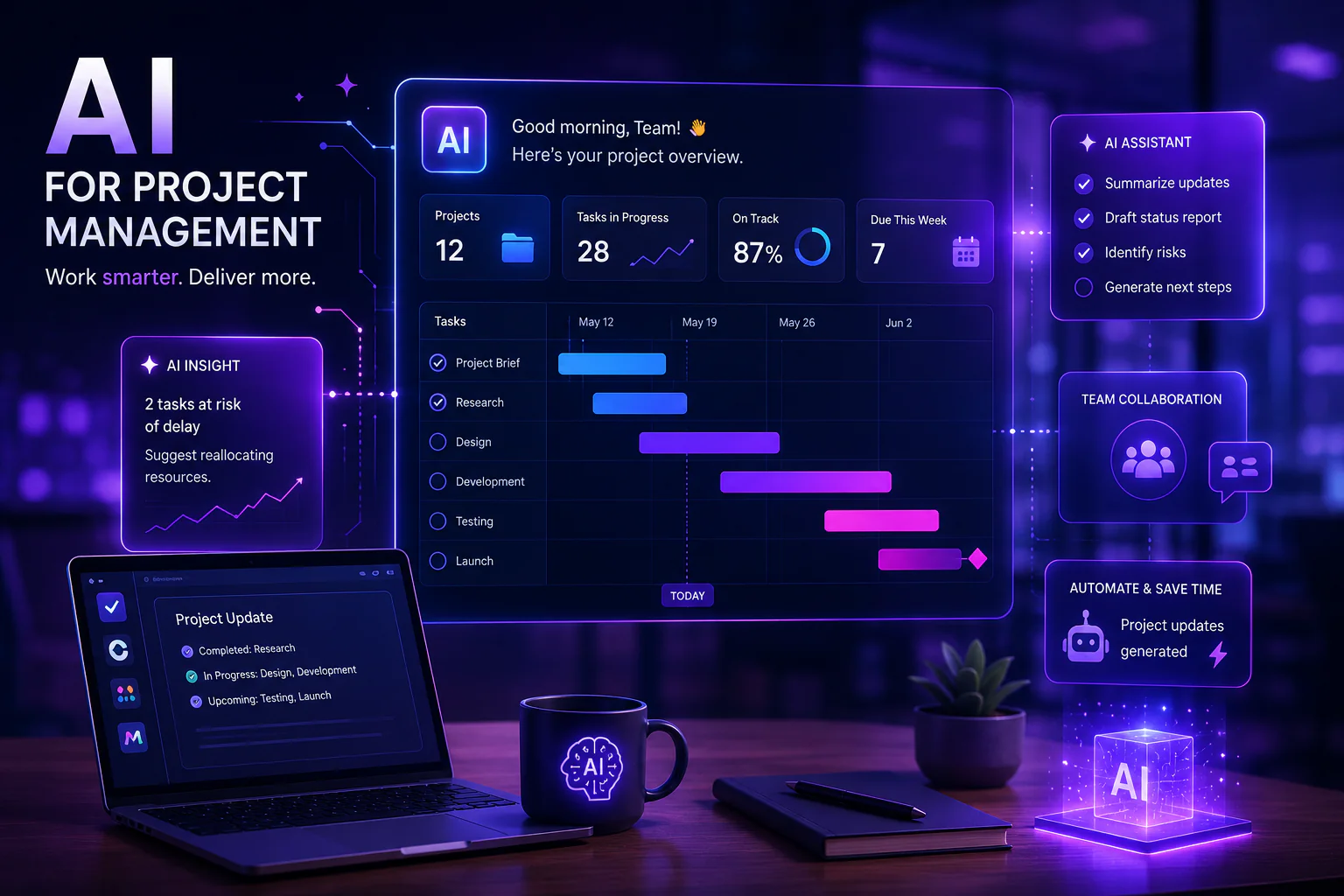
Project management has always been about doing more with less — fewer delays, fewer miscommunications, fewer missed deadlines. In 2026, the most powerful lever teams have is AI project management tools. From automating task creation to predicting project risks before they materialize, AI project management tools are transforming how teams plan, collaborate, and deliver. Whether you are a solo entrepreneur juggling five projects or an enterprise team coordinating hundreds of sprints, this guide will show you exactly how to use AI project management tools to work smarter. We cover ClickUp AI, Asana AI, Monday AI, real team use case scenarios, and how project automation AI eliminates the busywork that drains your team’s best hours.
Why AI Project Management Tools Are Changing How Teams Work
Traditional project management software gave teams a place to store tasks. AI project management tools give teams a collaborator — one that reads your project data, surfaces insights, writes updates, and automates routine decisions 24/7. According to McKinsey’s Future of Work research, knowledge workers spend 20–30% of their time on status updates, meeting prep, and administrative coordination — exactly the workflows that project automation AI eliminates. The adoption of AI project management tools has accelerated rapidly: Gartner predicts that by 2026, 80% of project management tasks will be augmented by AI. The teams that learn to use AI for teams now will have a compounding productivity advantage over those that wait.
ClickUp AI: Best AI Project Management Tool for All-in-One Teams
ClickUp AI is one of the most feature-rich AI project management tools available in 2026. Built natively into the ClickUp platform, ClickUp AI integrates directly with tasks, docs, goals, and automations — meaning the AI understands the full context of your projects rather than operating as a disconnected chatbot. Here is what makes ClickUp AI stand out among AI project management tools:
- • ClickUp AI Action Items: Automatically extract tasks and owners from meeting notes, documents, and comment threads
- • ClickUp AI Summaries: Instantly summarize long task threads, sprint retrospectives, and project docs so stakeholders stay current without reading every update
- • ClickUp AI Writing Assistant: Draft project briefs, SOPs, status reports, and stakeholder emails directly inside ClickUp — no switching to another tool
- • ClickUp AI Automation Builder: Describe automations in plain English (‘When a task moves to Done, notify the requester and close the parent task’) and ClickUp AI configures the automation
For a detailed walkthrough of ClickUp AI features and pricing, visit the official ClickUp AI page. Teams that fully adopt ClickUp AI as their primary AI project management tool report saving an average of 3–5 hours per team member per week on administrative tasks.
ClickUp AI Team Use Case: Marketing Campaign Management
A marketing team managing a product launch uses ClickUp AI to run their entire campaign workflow. At the start of each sprint, ClickUp AI generates the campaign brief template. During execution, project automation AI triggers notifications when deliverables are overdue and auto-reassigns tasks when a team member marks themselves unavailable. At week end, ClickUp AI writes the status report from task data — saving the project manager 90 minutes of manual compilation. This is AI for teams at its most practical.
Asana AI: Best AI Project Management Tool for Structured Workflows
Asana AI brings intelligent assistance to one of the world’s most popular project management platforms. Where ClickUp AI excels in flexibility, Asana AI shines in structured, process-driven workflows. The Asana AI feature set includes:
- • Asana AI Smart Goals: Generate clear, measurable project goals with AI assistance based on your project description
- • Asana AI Smart Summaries: Summarize project status across multiple tasks into a single executive-ready paragraph
- • Asana AI Smart Fields: Automatically suggest and populate custom fields based on task content and historical project patterns
- • Asana AI Risk Identification: Flag tasks that are at risk of missing deadlines based on workload, dependencies, and historical velocity data
Asana AI is part of the broader Asana Intelligence suite. Explore the full capabilities on the Asana Intelligence product page. Among AI project management tools targeted at mid-to-enterprise teams with established processes, Asana AI is the most mature offering available.
Asana AI Team Use Case: Cross-Functional Product Launches
A software company uses Asana AI to coordinate product launches across engineering, design, marketing, and customer success. Asana AI Smart Summaries let the CPO review every workstream’s status in two minutes instead of attending five separate standups. When the Asana AI risk identification flags the documentation workstream as at-risk 10 days before launch, the PM reallocates resources immediately — preventing a delay. This kind of proactive project automation AI is what separates AI project management tools from traditional PM software.
Monday AI: Best AI Project Management Tool for Business Operations
Monday AI (Monday.com’s AI layer) is designed for business operations teams that need to manage a diverse mix of projects, processes, and requests in one place. Unlike ClickUp AI or Asana AI, Monday AI emphasizes no-code workflow automation powered by natural language. Key Monday AI capabilities include:
- • Monday AI Workflow Generator: Describe your process in plain English and Monday AI builds the board, columns, automations, and integrations automatically
- • Monday AI AI Formula Builder: Write complex board formulas using natural language instead of formula syntax — democratizing advanced data work across non-technical team members
- • Monday AI Automated Updates: Monday AI drafts project update emails from board data, ready for one-click sending to stakeholders
- • Monday AI AI-Generated Insights: Surface trends, bottlenecks, and performance patterns across your boards with natural language queries
Learn more about Monday AI on the Monday.com AI features page. For operations-heavy businesses — HR, finance, client services — Monday AI is often the most intuitive of the major AI project management tools.
AI Project Management Tools Comparison: ClickUp AI vs Asana AI vs Monday AI
| Feature | ClickUp AI | Asana AI | Monday AI |
| Best For | All-in-one flexible teams | Structured enterprise workflows | Business operations & ops teams |
| AI Writing | Yes — tasks, docs, emails | Yes — summaries, goals | Yes — updates, formulas |
| Risk Prediction | Basic | Advanced (Smart Risk) | Moderate |
| Automation AI | Natural language automations | Rules + AI suggestions | Full NL workflow builder |
| Free Plan | Yes (limited AI) | No (trial only) | No (trial only) |
| AI Add-on Price | $5/user/mo | Included in Business+ | Included in Pro+ |
| Integrations | 1,000+ | 200+ | 200+ |
| Ideal Team Size | 1–500+ | 50–5,000+ | 10–1,000+ |
How to Implement Project Automation AI: A Step-by-Step Workflow
Getting the most from project automation AI requires a structured implementation approach. Here is a proven workflow for rolling out AI project management tools across your team:
1. Audit your current project pain points: Before selecting an AI project management tool, identify the 3–5 tasks that consume the most time with the least value — status updates, task creation from meetings, report generation. These are your first
2. Choose your AI project management tool: Use the comparison table above to match
3. Start with one automation: The most common mistake teams make with
4. Train your team on AI prompting:
5. Measure time saved weekly: Track the hours saved per team member from
AI for Teams: 5 High-Impact Use Case Scenarios
- • Sprint Planning: Use AI project management tools to auto-generate sprint tasks from product roadmap items, estimate effort based on historical velocity, and flag resource conflicts before the sprint begins
- • Client Reporting: Use project automation AI to pull live project data into formatted client reports — eliminating 2–4 hours of manual report building per client per month
- • Onboarding New Team Members: AI for teams can generate personalized onboarding task lists based on role, auto-assign training resources, and send check-in reminders on day 1, 7, and 30
- • Budget Tracking: Connect your AI project management tool to finance data so project automation AI alerts project managers when budget utilization crosses 70% — preventing budget overruns
- • Risk Management: Asana AI and Monday AI both offer risk identification features that flag at-risk tasks and projects based on real-time data — moving risk management from reactive to proactive
Beyond the Big Three: Other AI Project Management Tools Worth Knowing
- • Notion AI — Best AI project management tool for knowledge-heavy teams that live in docs and wikis
- • Linear + AI — Excellent AI project management tool for software engineering teams with native GitHub integration
- • Wrike AI — Enterprise-grade AI project management tool with advanced resource management and AI forecasting
- • Smartsheet AI — Strong AI project management tool for teams that want spreadsheet-style flexibility with AI intelligence
For a broader view of the AI productivity landscape, see our guide to the best AI tools for teams in 2026 and our comparison of the top AI writing assistants for business.
Final Verdict: Which AI Project Management Tool Is Right for You?
AI project management tools are no longer futuristic — they are table stakes for competitive teams in 2026. ClickUp AI is the best all-in-one choice for versatile teams that want deep customization. Asana AI is the strongest option for structured, process-driven organizations. Monday AI wins for business operations teams that need no-code automation at scale. Whatever your team’s size or workflow, implementing project automation AI today will save hours every week and position your team to scale efficiently. Start with a free trial of your chosen AI project management tool and use the step-by-step workflow above to get your first automation running within a week. For the latest AI for teams insights and productivity research, follow Harvard Business Review’s AI section.