
Building a compelling presentation used to mean hours in PowerPoint wrestling with slide layouts, alignment, and design consistency. Gamma AI promises to collapse that process to minutes — generating a fully designed, visually polished deck from a text prompt or outline. This Gamma AI review puts that promise to the test with a real content generation trial, a side-by-side Beautiful.ai vs Gamma quality comparison, and a clear verdict on whether Gamma is the right AI presentation maker for professionals in 2026. If you are building a business case for AI tooling, this pairs well with our breakdown of how AI can save you 10 hours a week — presentation creation is consistently one of the top time sinks AI addresses.
What Is Gamma AI?
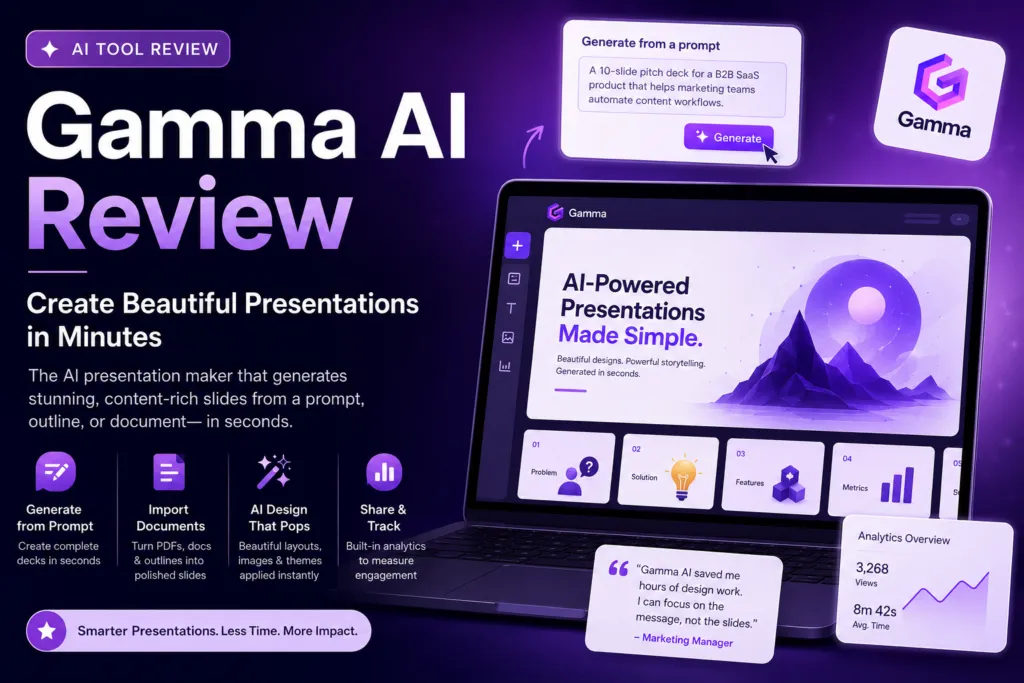
Gamma AI is a web-based AI presentation maker that generates entire slide decks, documents, and webpages from a text input in seconds. Unlike PowerPoint or Google Slides — where you design from a blank canvas — Gamma starts from your content and builds the visual structure around it automatically. The platform’s AI selects layouts, applies consistent typography, sources relevant images, and maintains design coherence across every slide without any manual formatting work. Gamma AI has grown to over 20 million users since launch, according to Gamma’s official blog, making it one of the fastest-adopted AI slides tools in the market.
Gamma AI Features: What Does the AI Presentation Maker Offer?
• Gamma AI Generate from Prompt: Describe your presentation topic and target audience, and Gamma AI builds a complete multi-slide deck in under 60 seconds
• Gamma AI Generate from Outline: Paste your own outline and Gamma populates each section with AI-written content and designed slides
• Gamma AI Generate from Document: Upload a PDF, Word doc, or paste text and Gamma converts it into a polished AI slides deck automatically
• Gamma AI Smart Templates: 50+ professionally designed themes that adapt to your content — not generic slide templates you have to fill in
• Gamma AI Flexible Cards: Gamma’s card-based format supports expandable sections, embedded video, tables, forms, and interactive elements — far beyond static slides
• Gamma AI One-Click Redesign: Change the entire visual theme with one click while preserving all your content — an AI presentation maker feature that eliminates design paralysis
• Gamma AI Analytics: Track views, engagement time, and link clicks when you share a Gamma deck publicly
Gamma AI Review: Real Slide Generation Test
To put Gamma AI through a genuine test, we generated a presentation on the prompt: “A 10-slide pitch deck for a B2B SaaS product that helps marketing teams automate content workflows.” Here is what the Gamma AI output looked like within 45 seconds:
• Slide 1 — Cover: Clean headline, subheadline, and brand-matched color scheme automatically applied
• Slides 2–3 — Problem/Solution: Concise copy with relevant icons and a two-column layout — exactly what a pitch deck needs at this stage
• Slide 4 — Features: A three-card layout with auto-generated feature icons — visually clean and scannable
• Slides 5–6 — Social Proof and Metrics: Gamma AI added placeholder quote cards and a data visualization section automatically
• Slide 7 — Pricing: A three-tier pricing table generated correctly with zero manual configuration
• Slide 8 — Team: A team card layout — needed manual population with actual names but the structure was correct
• Slides 9–10 — CTA and Next Steps: Clear closing slides with one-click link-sharing setup
The overall quality of the first Gamma AI output was genuinely impressive — more polished than a typical first PowerPoint draft and requiring significantly less editing. The main refinements needed were personalizing the placeholder copy and swapping auto-sourced images for brand-specific visuals.
Beautiful.ai vs Gamma: Side-by-Side Comparison
The Beautiful.ai vs Gamma comparison comes up frequently because both tools position themselves as AI presentation makers that remove design friction. They take meaningfully different approaches:
| Feature | Gamma AI | Beautiful.ai |
| Content Generation | Full AI content + design from prompt | AI design only — you write the content |
| Output Format | Card-based web doc or slides | Traditional slide format |
| Customization Depth | Moderate — themes, layouts, colors | High — granular design control |
| Interactive Elements | Yes — forms, video embeds, expandable cards | Limited |
| Export to PowerPoint | Yes (paid) | Yes |
| Offline Access | No (web-only) | Yes (desktop app) |
| Free Plan | Yes (10 AI generations/month) | No (trial only) |
| Paid Starting Price | $8/month | $12/month |
| Best For | Fast content + design from scratch | Polished traditional slides with AI design assist |
The Beautiful.ai vs Gamma verdict: Gamma AI wins decisively if you want to generate a complete presentation from a topic or document with minimal effort. Beautiful.ai wins for teams that need traditional PowerPoint-style slide control with AI-assisted design polish. For most knowledge workers and founders who need to produce presentations fast, Gamma AI is the more powerful and more accessible AI slides tool.
Gamma AI Pricing
| Plan | Price | AI Generations | Best For |
| Free | $0/mo | 400 AI credits total | Individuals trying Gamma AI |
| Plus | $8/mo (annual) | Unlimited | Professionals using Gamma regularly |
| Pro | $15/mo (annual) | Unlimited + priority AI | Power users and team presenters |
| Team | Custom | Unlimited shared | Organizations with collaboration needs |
At $8/month, the Gamma AI Plus plan is one of the best value propositions in the AI presentation maker category. You get unlimited AI generation — meaning you can build as many decks as your business requires without counting credits. Explore all plans at gamma.app.
Gamma AI vs PowerPoint and Google Slides
The comparison most users really want to understand is Gamma AI versus the tools they already use. Traditional presentation software like PowerPoint and Google Slides are designed for maximum design control — you can build anything if you invest the time. The tradeoff is exactly that: time. A polished 15-slide deck in PowerPoint takes a skilled user 3–4 hours. The same deck in Gamma AI takes 15–30 minutes including editing. For internal presentations, client briefings, and pitch decks where time-to-completion matters more than pixel-level design precision, Gamma AI wins the practical comparison. The AI slides it produces are not flawless — but they are professional, consistent, and fast. Pair it with ChatGPT productivity tips to maximize your content quality before feeding it into Gamma AI.
Who Is Gamma AI Best For?
• Founders and entrepreneurs who need investor pitch decks or client presentations fast and without a designer
• Marketers and content teams converting research, reports, and articles into shareable visual presentations
• Consultants building client briefing decks from document uploads or structured outlines
• Educators and trainers creating lesson materials and course content quickly in AI slides format
• Anyone regularly producing internal team updates, strategy decks, or product demos who wants to eliminate the PowerPoint time tax
Gamma AI Review: Final Verdict
This Gamma AI review concludes that Gamma is one of the most impressive AI presentation makers available in 2026. It genuinely delivers on its core promise: upload a prompt, outline, or document and receive a professionally designed, content-complete deck within minutes. The Beautiful.ai vs Gamma comparison tips clearly in Gamma’s favor for speed and content generation. The Gamma AI free plan gives you enough generations to evaluate it properly before committing. If you build presentations regularly — pitch decks, client reports, internal briefings, training materials — Gamma AI will reclaim hours every week. For a broader look at how AI tools like this integrate into a complete productivity system, explore our guide to the 10 best AI tools for productivity in 2026 and the AI workflow automation template that shows how to connect them end-to-end.
| Looking for practical, hands-on guides to the best AI presentation, writing, and productivity tools? Prompt & Productivity publishes honest, tested reviews every week so you can make smarter tool decisions faster.Read more AI tool reviews at Prompt & Productivity → |